

PrismPlus Q65 Ultra 2026 Review -Beautifully Big QLED Screen At Modest Prices
In these trying times, it’s becoming more important than ever before to get the most bang for the buck when investing in tech, which is where Prism+ comes into the picture as they’ve carved a solid name for themselves in Malaysia for affordable monitors, smart TVs and, of late, home appliances too.
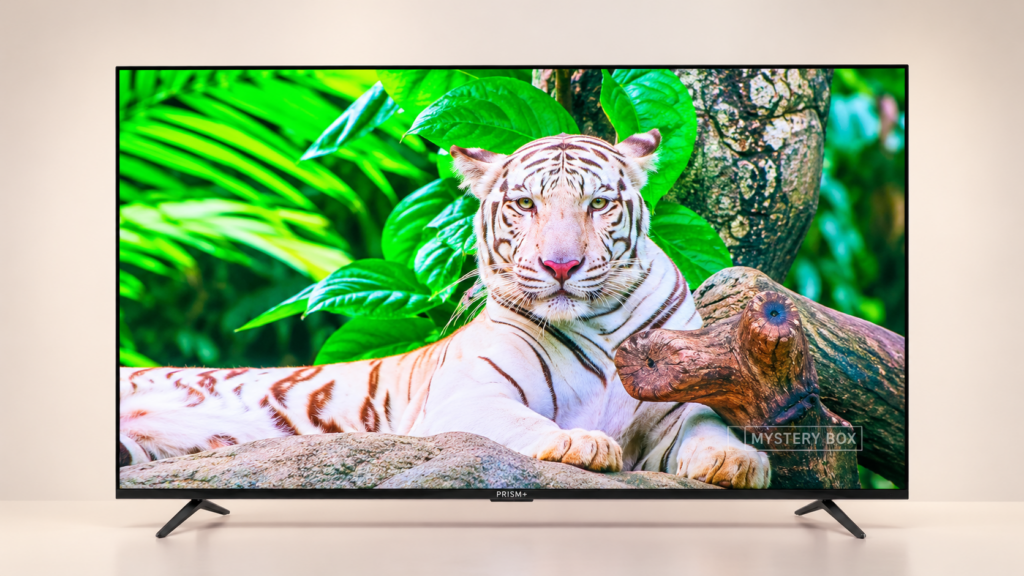
We recently managed to get our hands on one of their most popular models for 2026, the Q65 Ultra QLED+ for review. Seeing the long weekend and the recent swath of newly released games, it serendipitously came at the right time. After taking it for an extended spin, here’s our PrismPlus Q65 Ultra 2026 Review to see if it really is bang for the buck!
PrismPlus Q65 Ultra 2026 Review – Build and Design
Table of Contents
Out of the box, our PrismPlus Q65 Ultra 2026 review sample comes in the usual protective packaging with a styrofoam clamshell protecting the TV itself encased in a cardboard shipping box with all its attendant accessories bundled in neat plastic baggies. You get two V-shaped plastic feet with their accompanying mounting screws that form the feet of the TV, a remote control, a user manual, a power cable to hook it up to the mains as well as an RCA composite cable for more vintage setups.
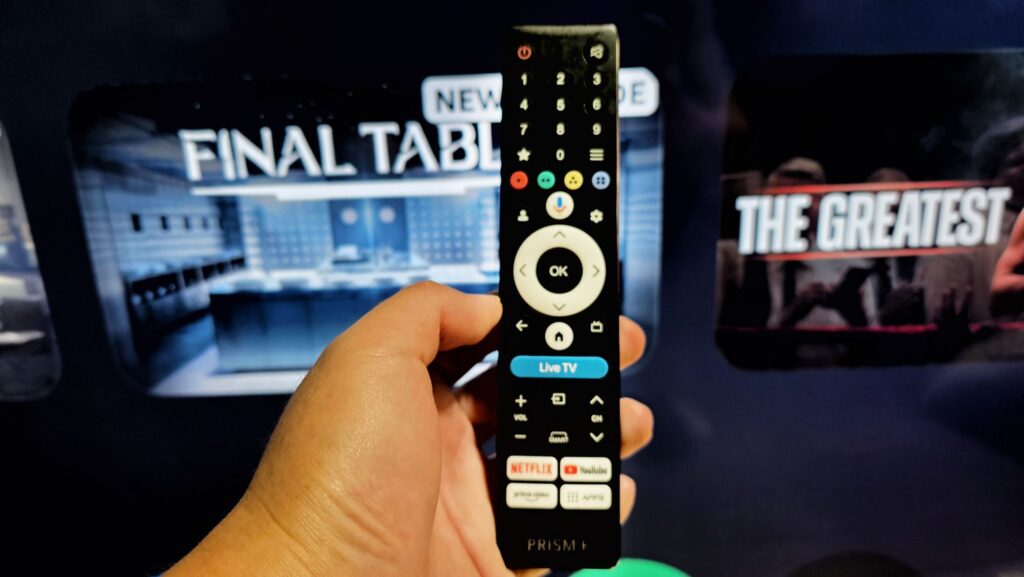
The remote control is densely packed with buttons including direct shortcuts to Netflix, YouTube, Prime and the Google Play store while also allowing for voice input. Oddly, Prism+ did not include AAA batteries with the remote control so you’ll have to supply them on your own. If you happen to lose the remote control, fret not as you can use your phone instead.
Getting the TV out of the box and mounted is a relatively straightforward task and can be done solo though it’s best done as a two-man job for added peace of mind and easier deployment due to its sheer size. In lieu of it being mounted on its own stand, the TV also has a VESA mount on the rear to bolt it to a wall.
Aesthetically speaking, the PrismPlus Q65 Ultra 2026 model doesn’t quite break new ground with the front featuring relatively slim side and top bezels with the bottom bearing the Prism+ branding along with a power button and a status indicator LED. Aside from the aforementioned VESA mount, the TV is supported primarily by its V-shaped feet which look and feel somewhat plasticky though they do the job without any creaking or wobbling.
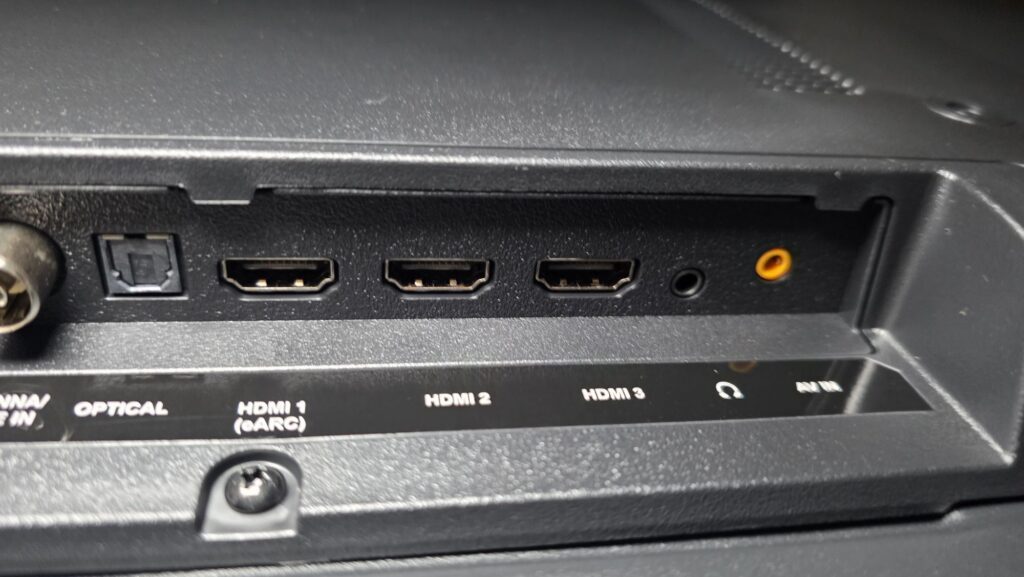
Ergonomics for our PrismPlus Q65 Ultra review unit were acceptable with the majority of its available ports clustered in a recessed bay on its right side of the rear panel.
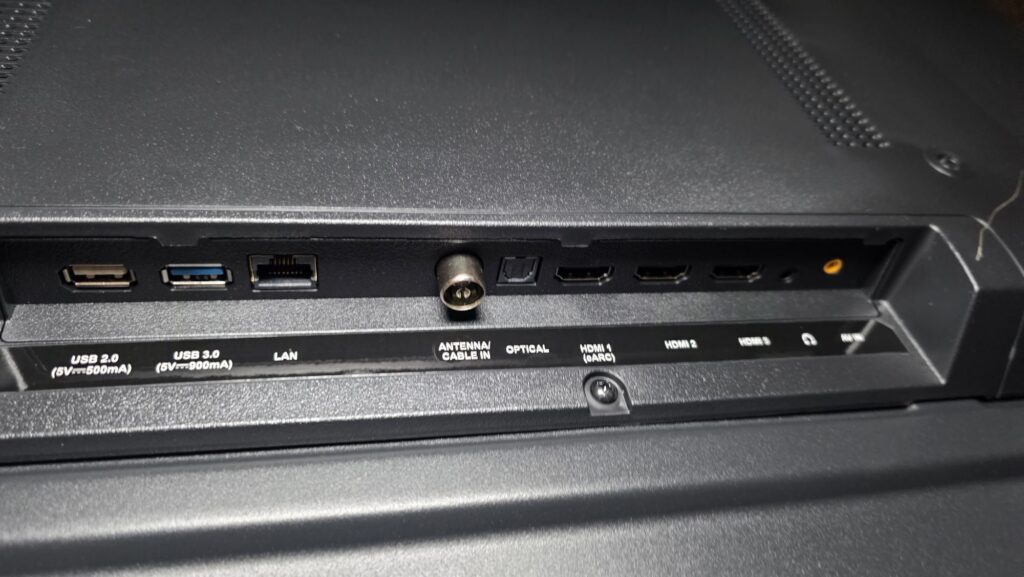
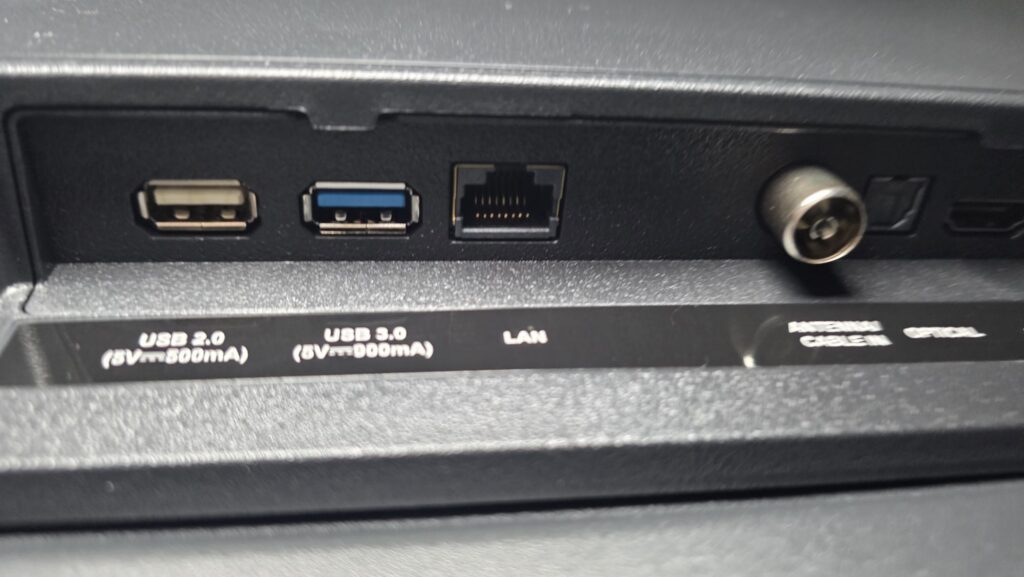
Arrayed in a row are a trio of HDMI ports though each differs slightly with two featuring HDMI 2.1 but only one of these has eARC for a soundbar along with a single HDMI 2.0 port. You also get a USB 3.0 port, a USB 2.0 port, an Ethernet LAN port, an optical port, a 3.5mm audio jack and an RCA composite input. The power plug is located on the left side of the TV by its lonesome.
Up front, you get an absolutely massive 65-inch 4K UHD QLED+ panel with 3,840 x 2,160 pixels resolution, a quoted 120Hz refresh rate, up to a quoted 94% DCI-P3 and a peak brightness of 320 nits. The TV also supports Dolby Vision and HDR10+ for compatible HDR content.
However, the panel lacks the usual display quality ratings and low blue light certifications. It’s also admittedly not energy efficient with a quoted two-star energy rating for the TV but these are decidedly minor quibbles seeing its intended asking price.
Overall build quality is acceptable for the price with the rear and the stands being made of plastic. It would have been nice if the stands were made of metal though this isn’t a deal breaker by any means.
PrismPlus Q65 Ultra 2026 Review – Performance
Oddly, Prism+ does not offer specifics as to what kind of chipset nor how much RAM the TV has though what it has to offer is more than sufficient for its intended role and there were no discernible complications or slowdown when navigating the menus and user interface in the time testing it.
The PrismPlus Q65 Ultra 2026 runs a stock version of Google TV based on Android 14 that offers shortcuts to all the most popular streaming services. Getting it up and running after powering it up is a simple task as you simply have to sign in to your Google account via a paired smartphone by scanning a QR code.
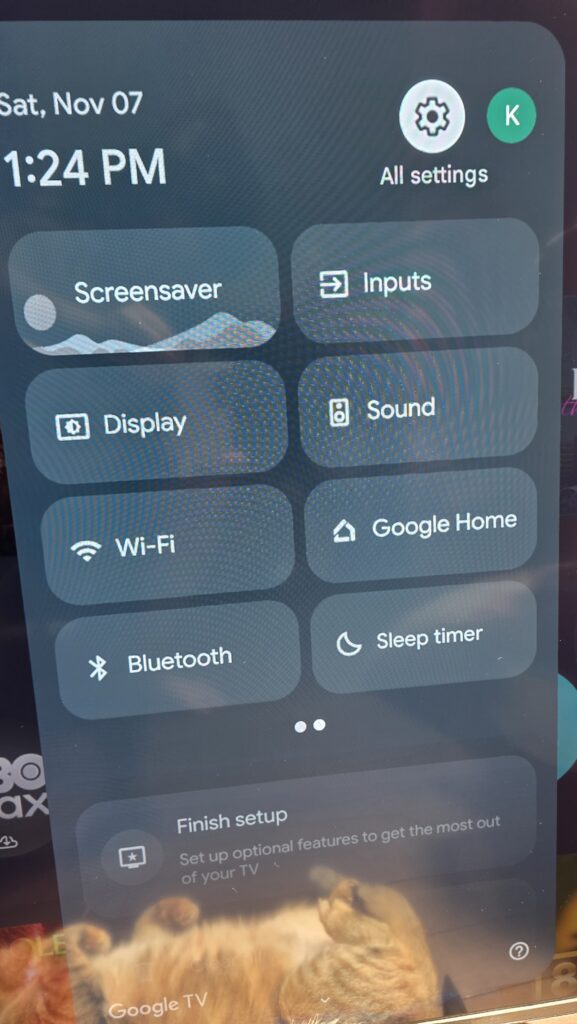
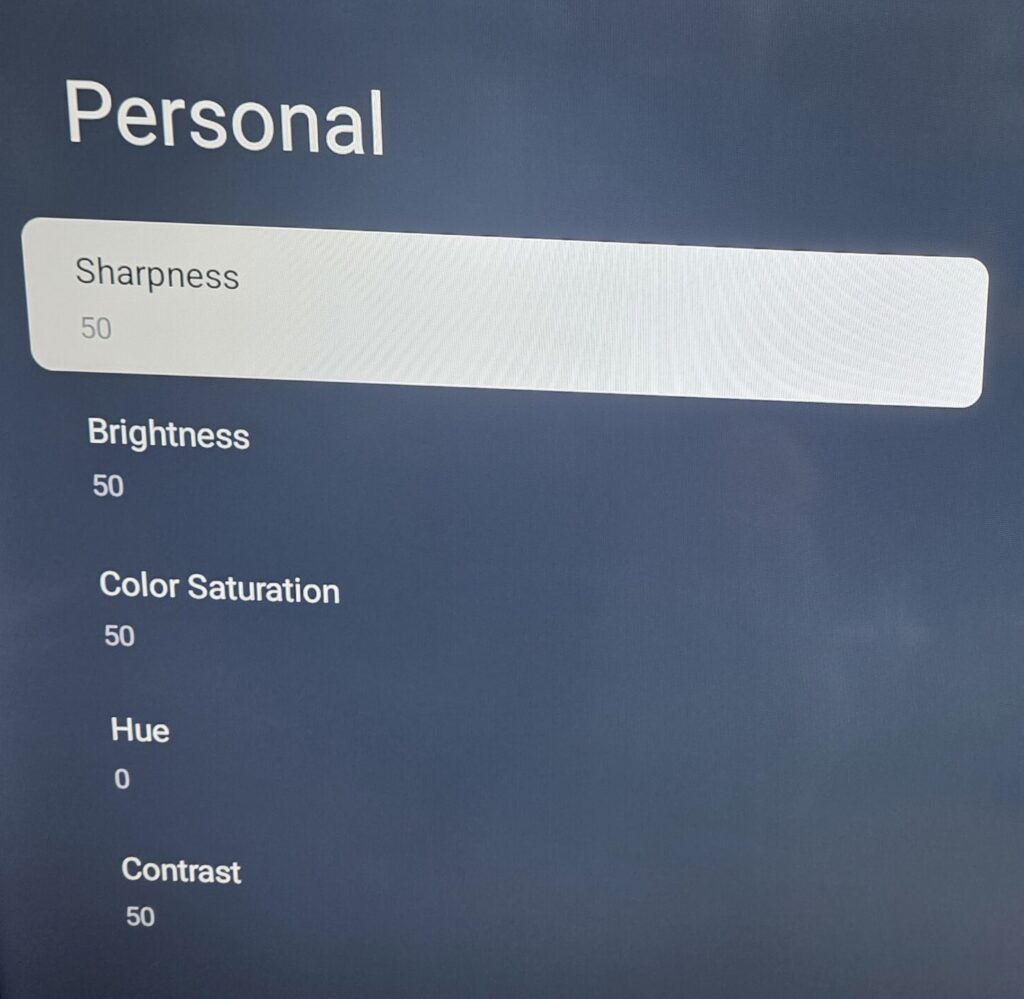
Our PrismPlus Q65 Ultra 2026 review sample lets you tweak a number of features including colour temperature, adjust backlight intensity and also select from several preset modes – standard, dynamic, sport, game, eye safe and a special filmmaker mode that preserves as much of the original content settings as possible. You also get a personal settings tab that lets you adjust sharpness, brightness, colour saturation, hue and contrast to taste.
One particular feature of note with the TV is a Noise Reduction mode that lets you dial the intensity of noise reduction in footage from disabling it entirely to low, medium and high. Alternatively, you can opt for an Auto mode to leave it to its own devices. For the duration of our PrismPlus Q65 Ultra 2026 review, we left it to auto.
Out of the box on default settings, the TV defaults to a noticeably warm colour temperature in test footage, giving whites and lighter backgrounds a slight reddish brownish tint. White elements also appeared slightly luminous, which is apparent when viewing footage with brightly lit backgrounds while darker footage can look slightly like a very dark shade of grey rather than true black.
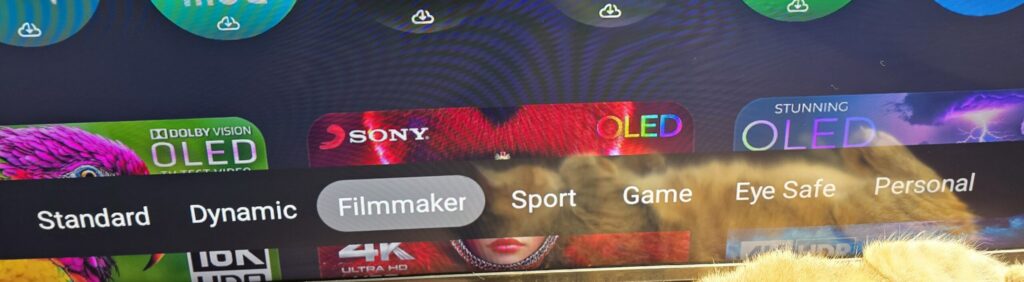
PrismPlus Q65 Ultra 2026 Review – The TV offers a number of settings including an effective Filmmaker mode that offers an experience as close as what the director intended
While you can certainly spend time tweaking it to taste, it makes for a time-consuming affair. Fortunately, the Filmmaker setting resolves most of these quirks nicely without the need for extensive tinkering, delivering more natural colour reproduction, improved black levels and good detail. The noise reduction mode is also of value here, helping to ensure older 1080p content looks reasonably sharp onscreen
A 4K Blu-ray of The Fifth Element looked delightful onscreen with the film’s signature vibrant palette looking gorgeous while subtle details like skin blemishes and fabric were also visible onscreen. When tested with some sports racing and soccer sports footage, there was no apparent ghosting.
In terms of overall screen brightness, the TV’s quoted 320-nit peak brightness is adequate for most indoor viewing environments, including rooms with moderate ambient lighting. However, direct sunlight falling onto the screen can understandably make images appear washed out, so it is best to draw the curtains when viewing during particularly bright periods.
While the TV is good for general movie and sports watching duties, it is worth noting that it has 120Hz Dual Line Gate refresh tech. What this means is that the TV can display 120 frames per second but does so by reducing the vertical resolution from 4K to 1080p. Effectively, 120Hz games look smoother but it won’t be as sharp as a full 120Hz display.
Its 120Hz DLG mode is particularly useful for fast-paced games such as first-person shooters, racing and sports titles, where smoother motion and faster screen updates can make a noticeable difference. However, the benefit is less compelling for slower-paced RPGs, strategy and casual games, particularly given the reduction in vertical resolution required to achieve the higher refresh rate.
In effect, you really won’t be noticing it much and after getting stuck in with multiple Modern Warfare 4 firefights on PC, it really isn’t noticeable as you’ll be too busy dodging incoming gunfire than noticing if a wall or some other piece of masonry doesn’t look as sharp. The smoother motion is a more immediately apparent benefit.
The 60W stereo speaker system is decent out of the box but is somewhat underwhelming on the highs and lows with greater emphasis on the mid ranges which is sufficient for watching most movies and casual music listening. Understandably, bass isn’t particularly strong or deep but that’s something that can be compensated for with a soundbar albeit at an additional cost if you are particular about audio quality.
Should you buy the PrismPlus Q65 Ultra 2026?
The PrismPlus Q65 Ultra 2026 offers the essential smart TV experience along with a large 65-inch display capable of offering up vibrant and crisp 4K content playback out of the box.


While it isn’t intended for gamers, the 120Hz DLG is adequate for casual gaming. As it stands, it offers exceptional bang for the buck at under RM2,700 and at this price range and size, it is well worth a look.
Specifications
Price RM2,699
Display 65-inch QLED+, 3,840 x 2,160 pixels, 120Hz Dual Line Gate (DLG), 320 nits peak brightness, up to 94% DCI-P3 (quoted), Dolby Vision, HDR10+
OS Google TV
Speakers 60W (2x w/ Dolby Atmos)
Connectivity WiFi, Bluetooth 5.1
Ports 1x HDMI 2.1 (with eARC), 1 x HDMI 2.1, 1x HDMI 2.0, 1 x USB 2.0, 1 x USB 3.0, AV in, RF in, Ethernet port, SPDIF Out (Optical)
Size/Weight 1445.6 x 338 x 902.7mm / 14.2kg
PrismPlus Q65 Ultra 2026 review unit courtesy of Prism+ Malaysia. For more details please visit https://prismplus.my/collections/tvs/products/q65-ultra
PrismPlus Q65 Ultra 2026
-
Design
-
Features
-
Performance
-
Value
PrismPlus Q65 Ultra 2026
The Prism+ Q65 Ultra 2026 is a large 65-inch QLED 4K smart TV that offers solid value, combining vibrant colours, good picture quality and the convenience of Google TV at a price point that doesn’t cost an arm and a leg.
Pros
Easy setup,
Vibrant and crisp 4K QLED+ display
Cean Google TV experience without bloatware
Cons
No batteries included for remote control
Would have been nice if the stand were made of metal