
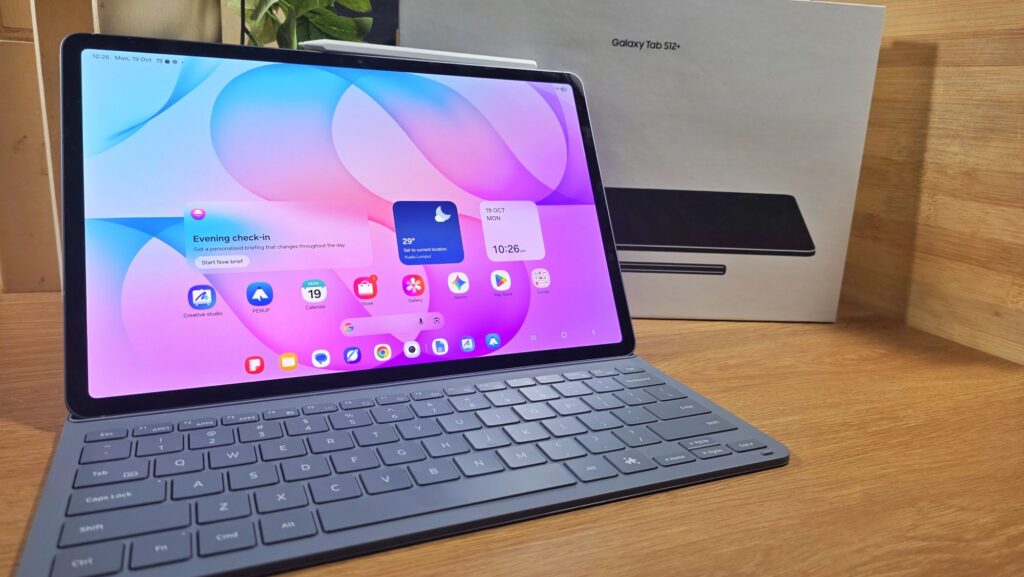
Samsung Galaxy Tab S12 Plus Review – Awesomely Slim and Powerful Productivity Powerhouse
Launched alongside the larger Galaxy Tab S12 Ultra, the Galaxy Tab S12+ is Samsung’s latest flagship tablet that aims to offer exceptional performance and productivity in a compact package. Samsung loaned us a unit for field testing and after taking it for a spin around the block, here’s our Samsung Galaxy Tab S12 Plus review where we suss out if it’s worth what you pay for.
Samsung Galaxy Tab S12 Plus Review – Build and Design
Table of Contents
Compared to its larger sibling the Galaxy Tab S12 Ultra, the Tab S12+ features the same processor, 12GB RAM and 256GB of storage and also features the same WiFi only and 5G-enabled variants but varies primarily in screen size, rear cameras, battery capacity and, of course, price. Both the Ultra and Plus in their respective WiFi and 5G-enabled variants also come in your choice of silver or gray colourways.
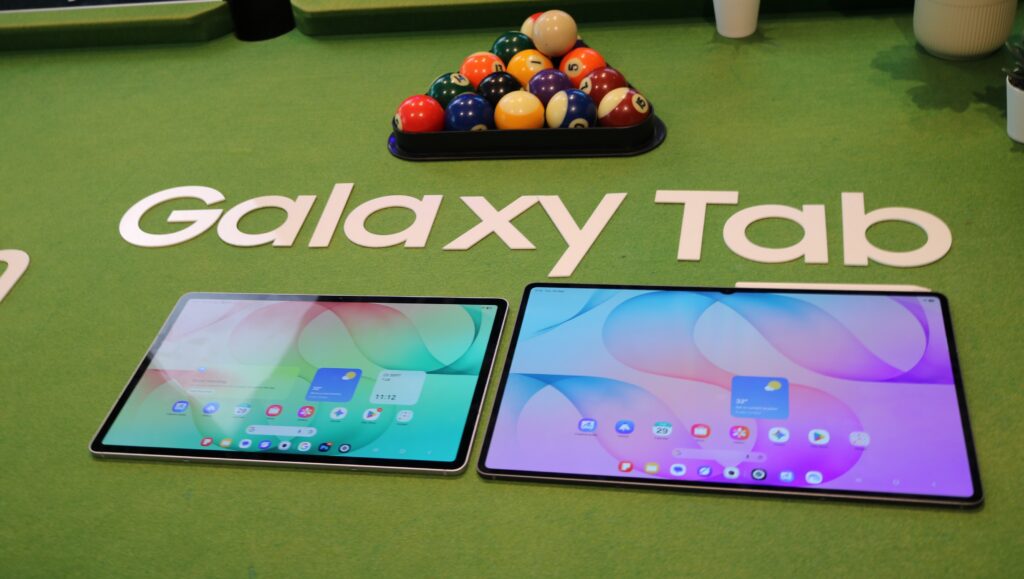
When compared side by side, our Galaxy Tab S12 Plus review sample in grey is slightly thicker by 0.2mm than the Ultra at 5.3mm but is significantly lighter at 553g versus the heftier 692g weight of the Ultra. Both retain the same design language with flat backplates and front displays, rounder corners and flat sides. The 5G enabled version of the Galaxy Tab S12 Plus is slightly heavier by 2g.
On closer inspection, the backplate is otherwise a swath of dark matte gray with a set of metallic pogo pins at the back to interact with Samsung’s book cover keyboard case as well as an optional, more sturdily built keyboard with a touchpad. The sides also feature antenna bands with a corner of the tablet housing a single 13MP f/2.0 camera paired with an LED flash.
Both sides of our Galaxy Tab S12 Plus review unit come with a pair of grilles, with each housing a speaker to form a quad driver array though the right also features a single USB-C port for charging duties.
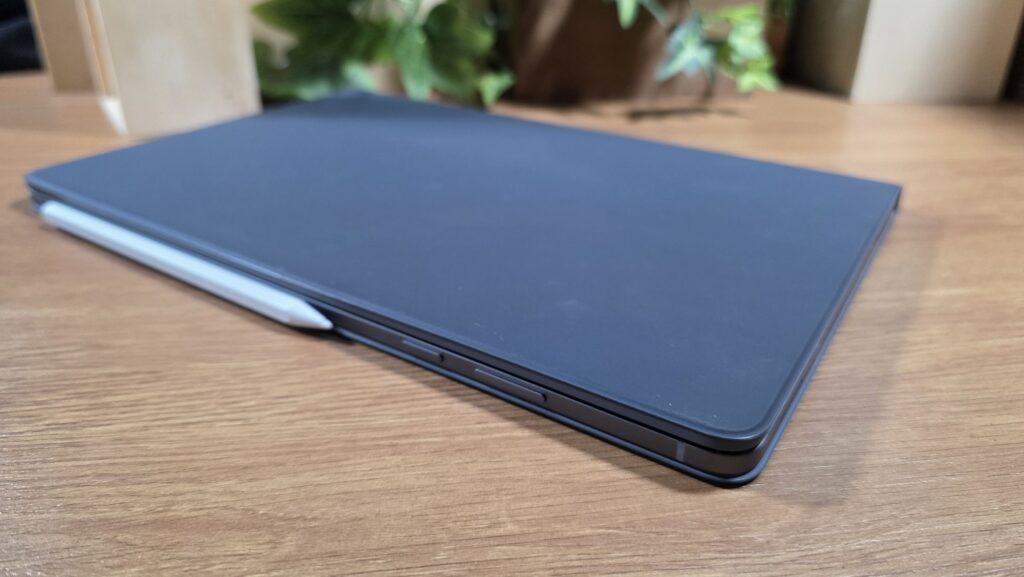
The top portion features a power button, volume rocker as well as a hybrid SIM card tray that accepts microSD cards. WiFi only models like our test unit only have space for a microSD card while 5G-enabled variants have space for a nano SIM card. You also get a small magnetised portion that allows you to dock the SPen for storage.
Up front, the tablet features a 12.6-inch Dynamic AMOLED 2X display with 1,752 x 2,800 pixels resolution, a 120Hz adaptive refresh rate and up to 1,600 nits peak brightness. The display also offers 100% DCI-P3 colour gamut which makes the tablet ideal for content creators who require accurate colour rendition for photos and videos.
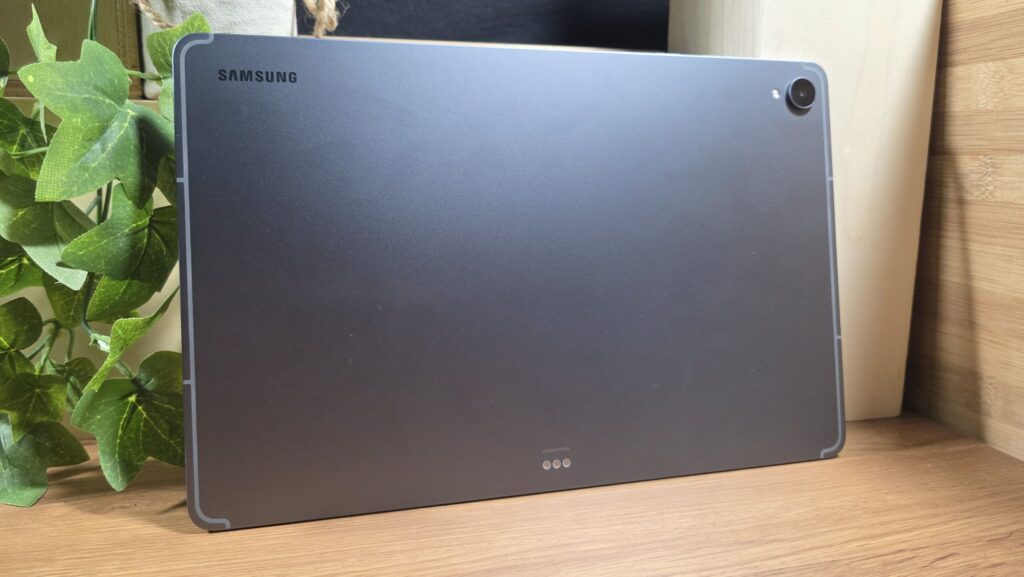
As tablets go, the Galaxy Tab S12+ is remarkably slim and feels exceptionally premium when held with a lightness that allows for one-handed use thanks to its use of light yet tough Armor Aluminium. Even better, the tablet features a robust IP68 dust and water resistance rating. For added peace of mind, the tablet uses Corning Gorilla Glass 5 to protect it from nicks and scratches.
What makes it particularly appealing though is the array of accessories that Samsung has bundled with it that expand its role beyond being a mere content consumption device.
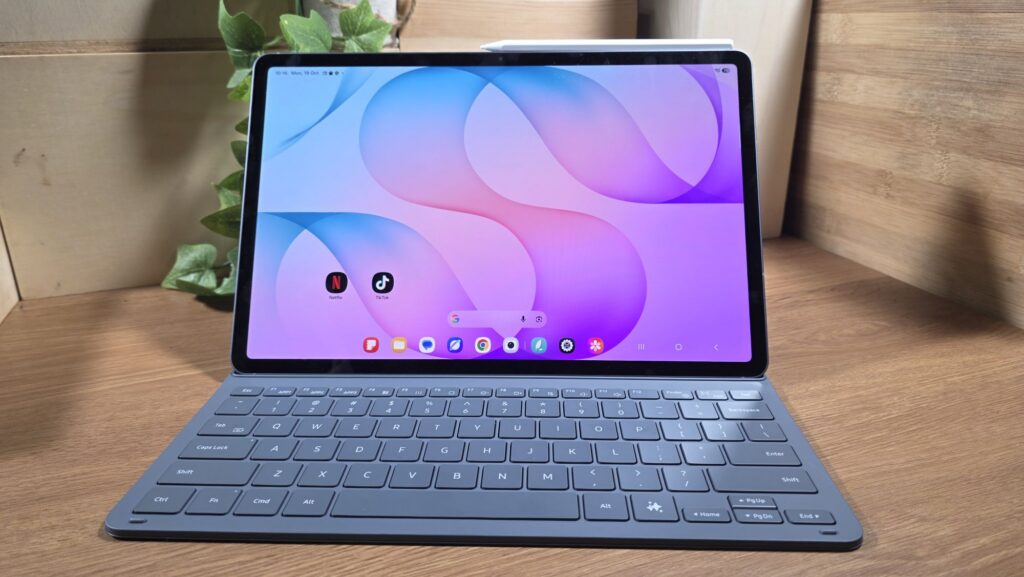
Bundled with our Galaxy Tab S12 Plus review sample is an S Pen stylus and a book cover keyboard case. The stylus itself is a fairly standard non-powered variant that doesn’t require charging or pairing to work.
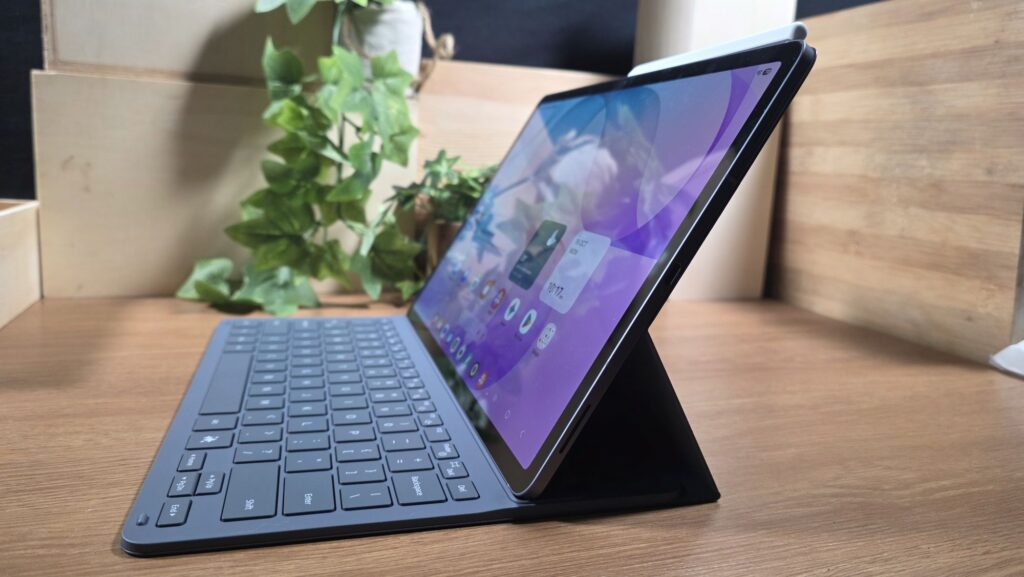
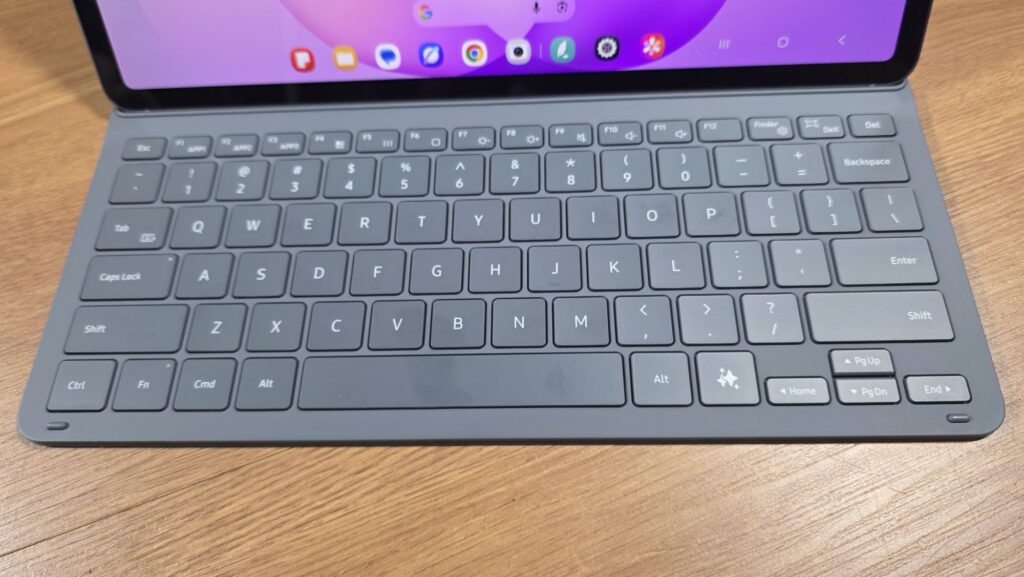
The keyboard case magnetically latches onto the backplate of the tablet and has a compact keyboard that lets you hammer out paperwork. The design is fairly standard and you’re only limited to a 30-degree angle which means that it works best on a flat surface like a desk rather than on your lap.
Like the stylus, the keyboard doesn’t require pairing or charging and connects to the tablet via pogo pins on the tablet’s backplate. Unfortunately, there’s no quoted dust or water resistance for the keyboard case itself so some care is required if you use it outdoors in rainy weather.
It bears mentioning that Samsung also issues an optional Pro Keyboard that is more sturdily built and which features a touchpad, turning the Galaxy Tab S12+ into a serious laptop replacement and which allows you to prop the tablet up at almost any angle you desire much like an actual laptop.
Unfortunately it is also a separate optional purchase that incurs additional cost whereas the book cover keyboard case is bundled in with the tablet by default.
As usual, there’s no charger bundled with the tablet though you do get a USB-C cable to go along with it.
Samsung Galaxy Tab S12 Plus Review – Performance and Benchmarks
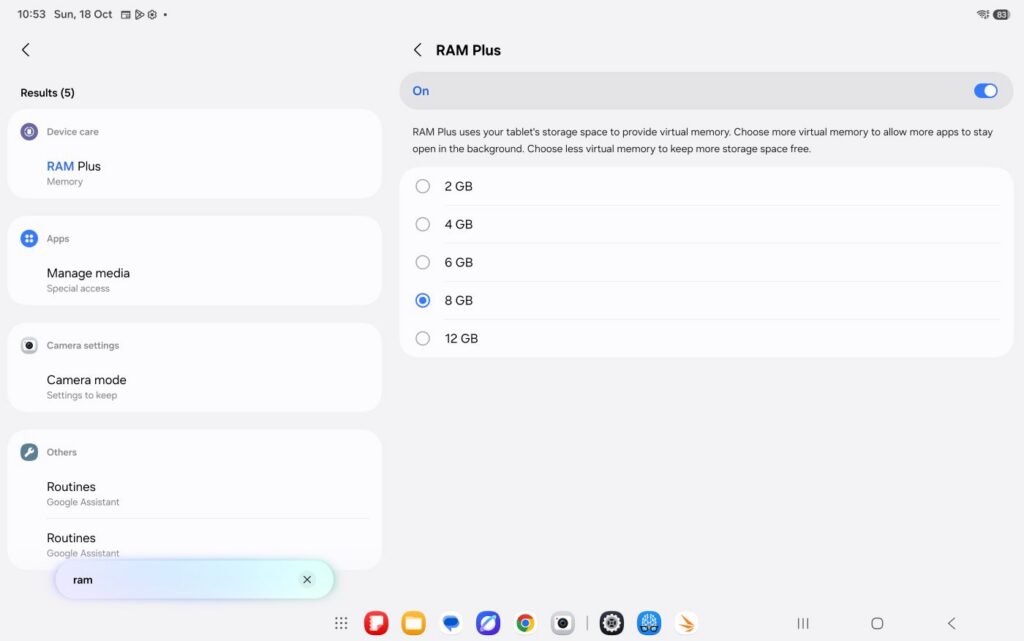
In terms of hardware, the Samsung Galaxy Tab S12 Plus is armed to the teeth with a flagship MediaTek Dimensity 9500 processor running the latest Android 17 and Samsung’s OneUI 9.0. Alongside the Dimensity 9500 SoC, the tablet comes with 12GB LPDDR5X RAM and the ability to assign up to an additional 12GB virtual RAM off the onboard 256GB UFS 4.0 storage. The tablet can also add additional storage via a microSD card slot up to 2TB in size.
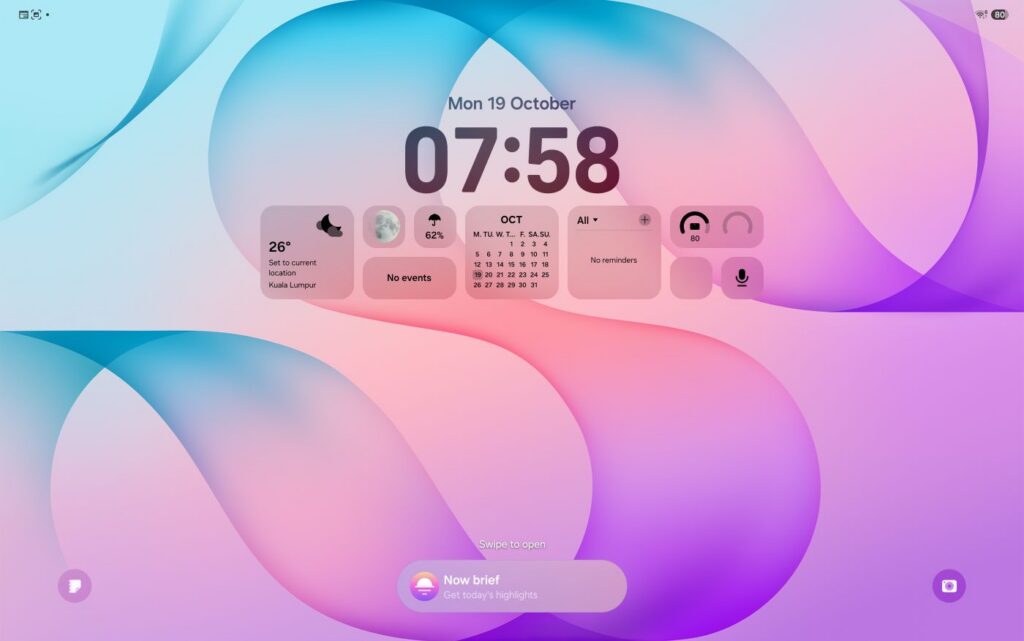
Of note is that the Galaxy Tab S12+ has a robust 7 years of OS and security updates which adds substantially to its longevity. That’s not all, OneUI 9.0 also has access to a DeX desktop mode that lets you have resizable windows and a taskbar at the bottom. You also get access to a Wireless DeX mode that enables you to cast the screen to a Miracast-supported display.
When it comes to connectivity, our Galaxy Tab S12 Plus review sample supports Bluetooth 6.0 and, oddly, WiFi 6e though its larger sibling which features the same chipset features WiFi 7 connectivity to presumably justify the higher price tag.
| Price | RM4,999 [WiFi], RM5,649 [5G] |
| Display | 12.6-inch Dynamic AMOLED 2X, 1752 x 2,800 pixels, 120Hz refresh rate, 1,600 nits peak brightness |
| Processor | MediaTek Dimensity 9500 |
| OS | Android 17 w/ OneUI 9.0 |
| Memory | 12GB LPDDR5X + 256GB UFS 4.0 w/ microSD card slot |
| Cameras | 13MP f/2.0 [rear] / 12MP [front] |
| Battery | 10,600mAh w/ 45W wired |
| Size/Weight | 289.5 x 187.8 x 5.3mm / 553g |
When subjected to synthetic benchmarks, our Galaxy Tab S12 Plus review unit scored the following synthetic benchmarks:
| 3D Mark Steel Nomad Light | 3,037 |
| 3D Mark Steel Nomad Light Unlimited | 3,042 |
| 3D Mark Solar Bay | 13,558 |
| 3D Mark Solar Bay Unlimited | 13,652 |
| 3D Mark Solar Bay Extreme | 1,331 |
| 3D Mark Solar Bay Extreme Unlimited | 1,266 |
| 3D Mark Wild Life Extreme | 6,627 |
| 3D Mark Wild Life Extreme Unlimited | 7,422 |
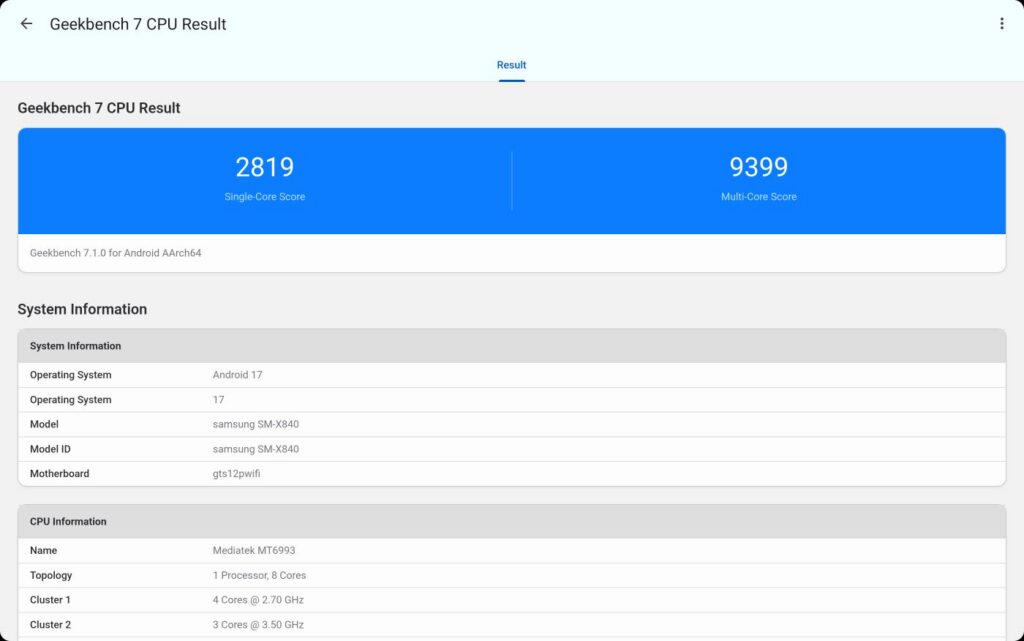
| Geekbench 6 SIngle core | 2,819 |
| Geekbench 6 Multi core | 9,399 |
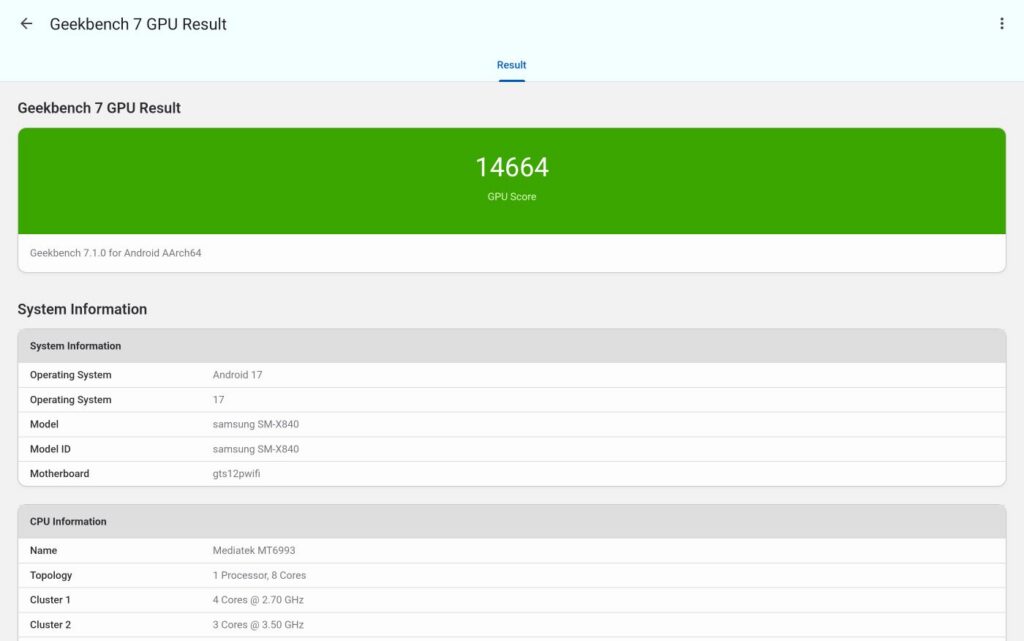
| Geekbench 6 OpenCL | 14,664 |
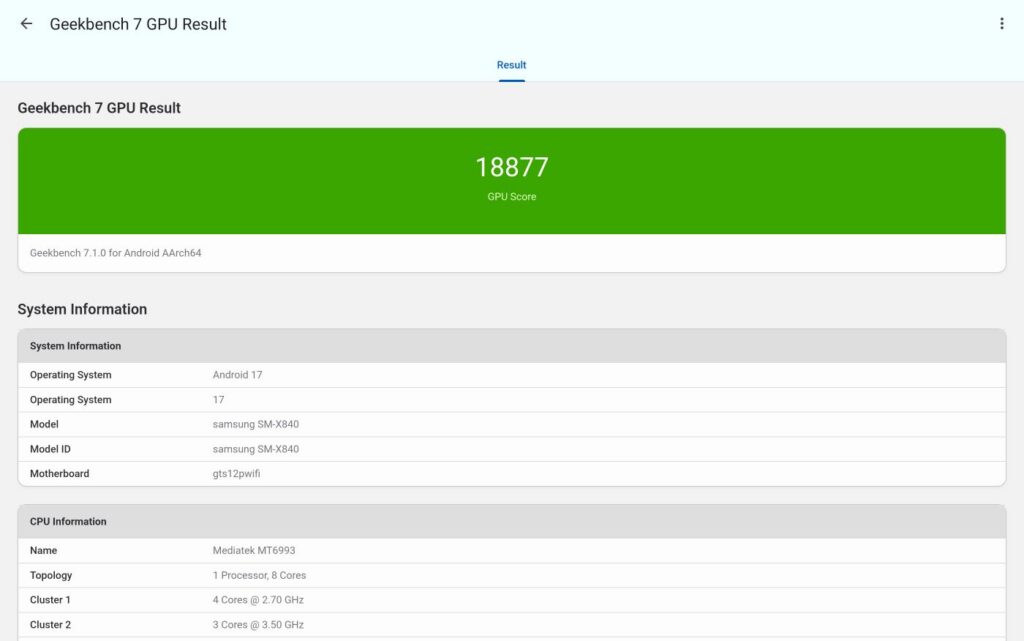
| Geekbench 6 Vulkan | 18,877 |
| Geekbench AI (CPU) | 4,021 |
| Geekbench AI (GPU) | 1,662 |
| PCMark Work 3.0 | 18,236 |
| PC Mark Work 3.1 Battery Life | 12 hours 52 mins |
In terms of single, multicore and graphics performance, the Dimensity 9500 is able to give the Snapdragon 8 Elite Gen 5 for Galaxy seen in Samsung’s flagship phones a run for its money in single, multicore and graphics with a slight edge in ray tracing performance.
In practical day-to-day performance, our Samsung Galaxy Tab S12 Plus review unit was able to offer exceptionally smooth performance in everything from gaming all the way to video editing. Some of the more demanding games on Google Play like Wuthering Waves on high settings without issue and it was able to tackle CapCut smoothly too. Less demanding tasks like web browsing, paperwork and the like were a doddle.
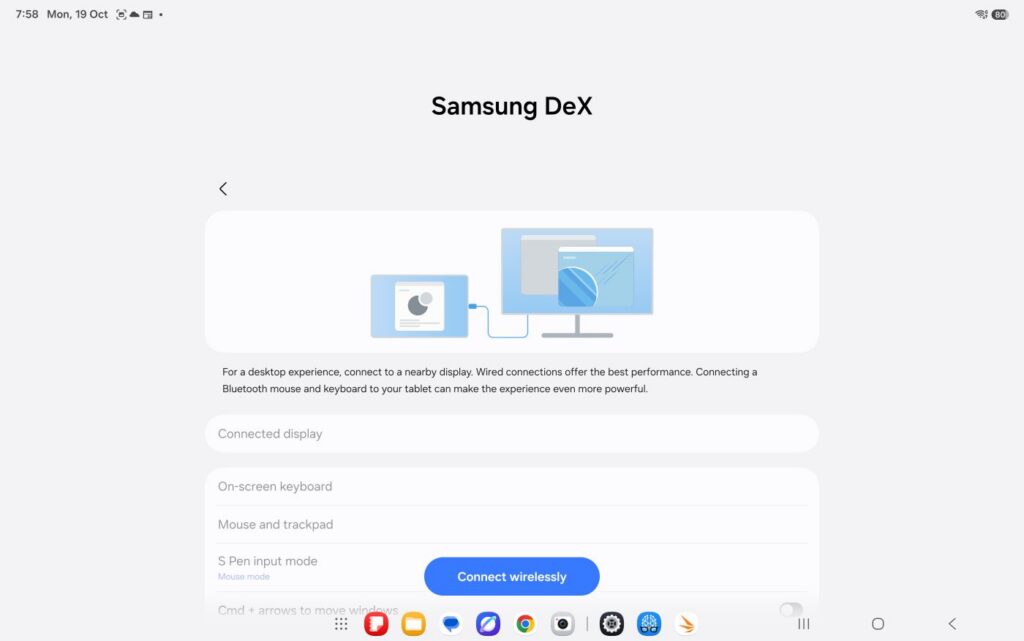
The provision of the book cover keyboard as well as the stylus and a variety of baked-in AI features lends it exceptional versatility too for a number of tasks. The S Pen stylus makes note taking easy via Samsung Notes and also allows talented artists to sketch or draw on the go.
The keyboard itself has an AI as well as a DeX mode shortcut key and offers excellent travel and play. Assuming you’re seated properly on a desk, the keyboard offers a comfortable typing experience. Unfortunately, the case only allows for one viewing angle though it’s not a deal breaker.
While the tablet’s hardware is top-shelf, where it gains the advantage is its Galaxy AI capabilities. Its Note Assist helps you clean up and organise your written notes while Writing Assist helps you optimise or phrase text to better suit a scenario. The biggest game changer is Transcript Assist that helps to take down conversations as audio transcripts which makes lectures and meetings a cinch though it does have a tendency to misinterpret some accents.
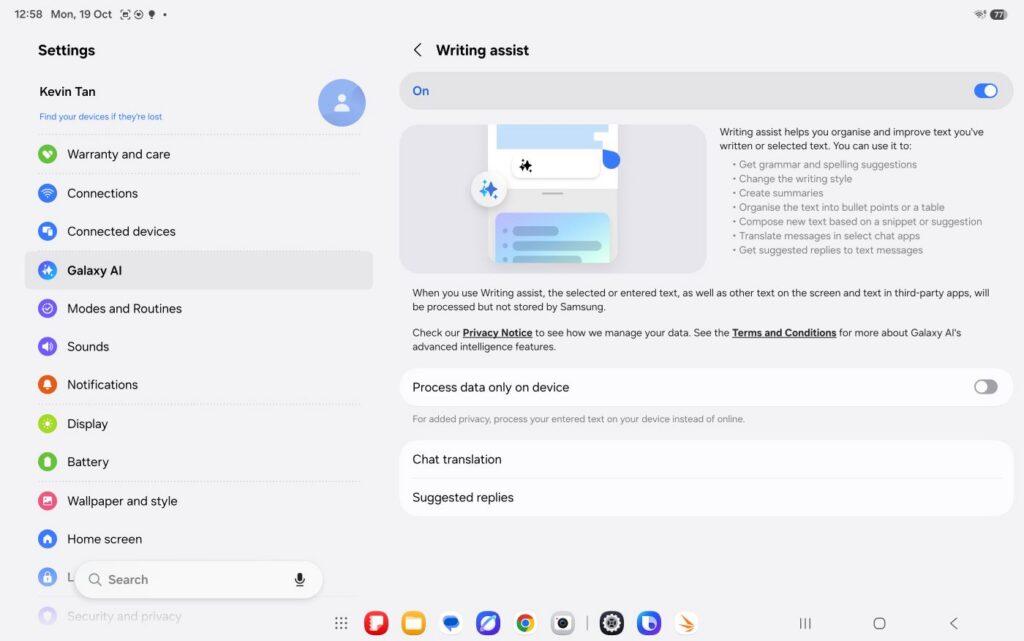
It’s not just paperwork though as Samsung has thrown in 4 months of free Adobe Photoshop functionality, six months of free Google AI Pro, a free 5TB of storage as well as a smattering of apps on a trial basis.
Content creators aren’t left out either and Galaxy AI also retains its novel Audio Eraser to remove unwanted sound from a track along with Photo Assist to edit photos with text prompts.
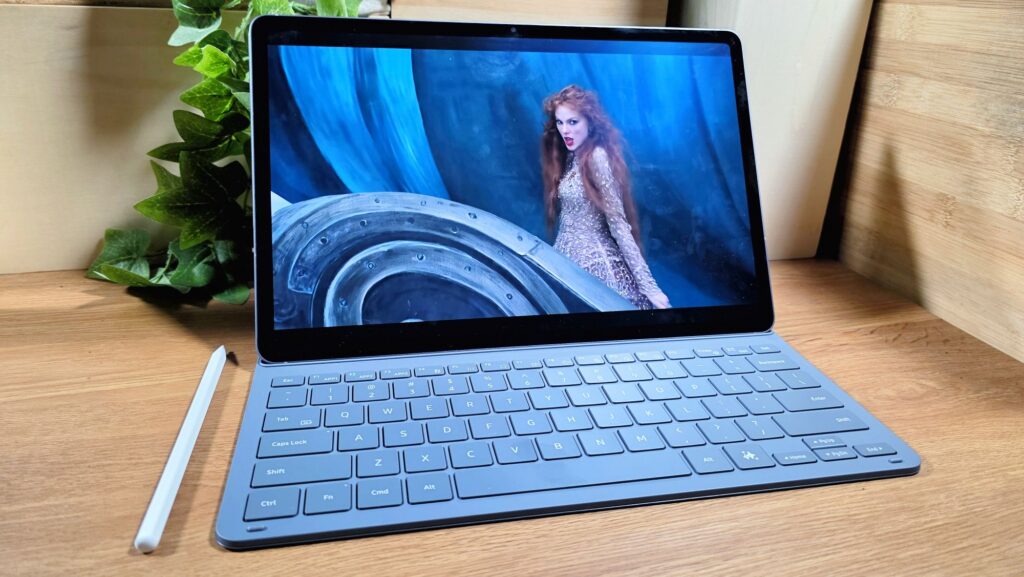
Screen quality is among the best seen on an Android tablet with the 12.6-inch Dynamic AMOLED 2X display on our Galaxy Tab S12+ review unit offering lusciously vibrant colours, great detail and good clarity under sunlight. Movies were a treat with excellent blacks while the quad speaker setup offered excellent detail and volume with a decent amount of bass.
Battery life is decent and the tablet offers a good full day and a half of heavy use that involves a combination of writing, YouTube, TikTok and video editing and likely two plus days of light use. Your mileage will vary though and if you’re gaming, editing videos and watching a ton of movies you’ll drain your battery life fast.
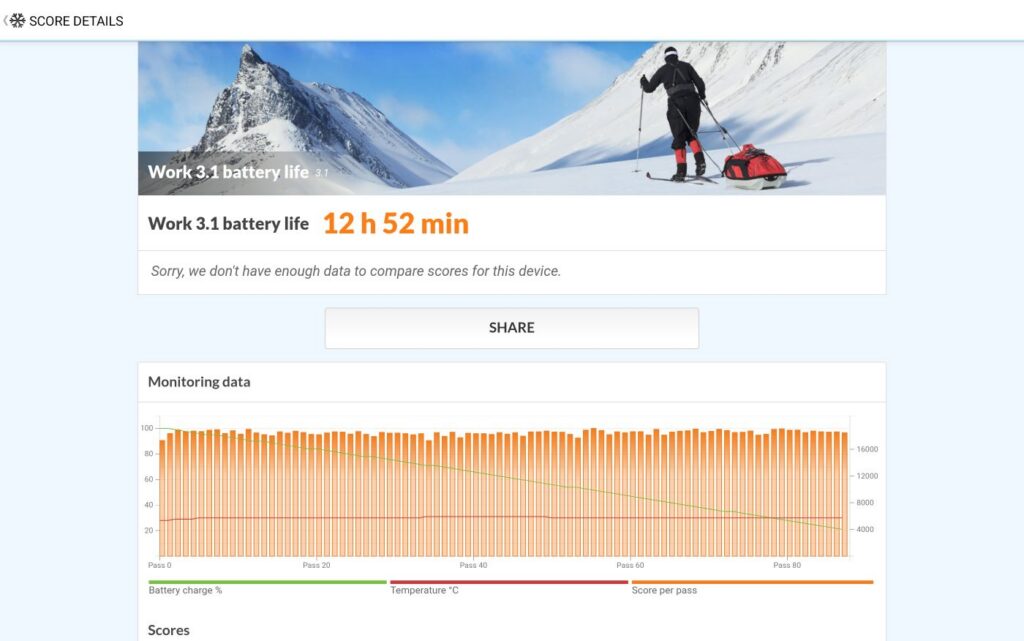
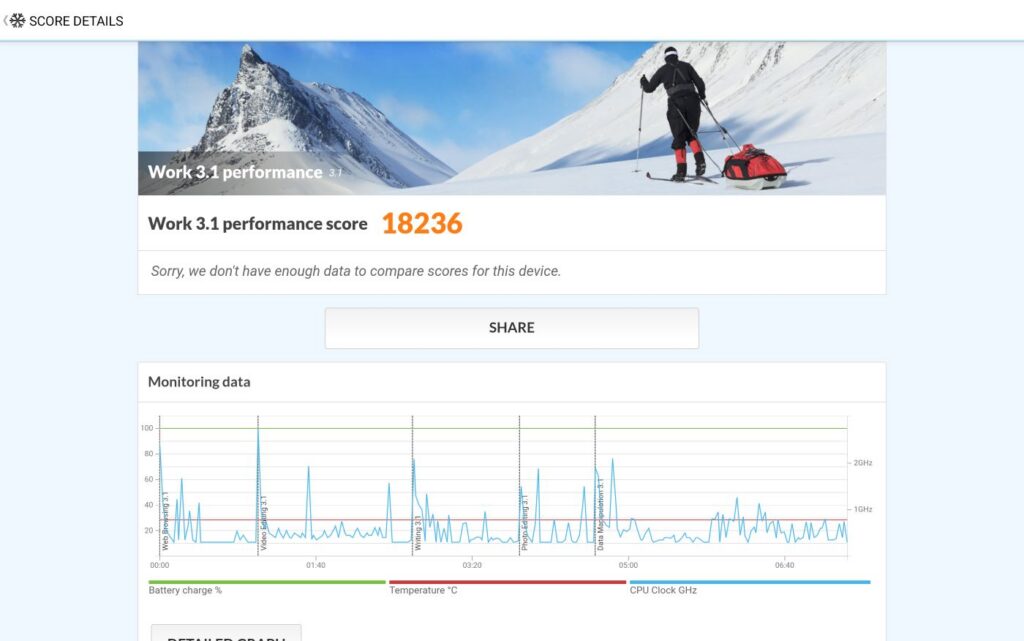
In PCMark’s battery life test, our Galaxy Tab S12 Plus review sample managed a respectable 12 hours and 52 minutes of battery life. Fortunately, the tablet supports 45W wired charging though the sheer size of the battery means that it’ll still take awhile to charge with an hour and 40 minutes needed from dead zero.
Should you buy the Samsung Galaxy Tab S12+?
The Samsung Galaxy Tab S12+ has one of the best displays on a tablet, powerful performance for productivity, gaming and content creation, as well as good battery life in a slim, highly portable package.

While it comes at a premium, the bundled book cover keyboard and S Pen stylus, six months of Google AI Pro and a guarantee of seven years of OS and security updates go some way towards justifying its asking price.
Samsung Galaxy Tab S12 Plus review unit courtesy of Samsung Malaysia. For more details visit https://www.samsung.com/my/tablets/galaxy-tab-s/galaxy-tab-s12-plus-gray-256gb-sm-x840nzadxme/
Samsung Galaxy Tab S12+
-
Display
-
Performance
-
Battery Life
-
Design
-
AI Capabilities
-
Value
Samsung Galaxy Tab S12+
The Samsung Galaxy Tab S12+ has one of the best displays on a tablet, powerful performance for productivity, gaming and content creation, as well as good battery life in a slim, highly portable package.
Pros
Ships with free stylus and book cover keyboard
Excellent performance
Good battery life
Bright and vibrant display
Has microSD card slot
Cons
S Pen stylus lacks Air commands
Only maxes out at WiFi 6e
Bundled Book Cover keyboard case only has one deployable angle