
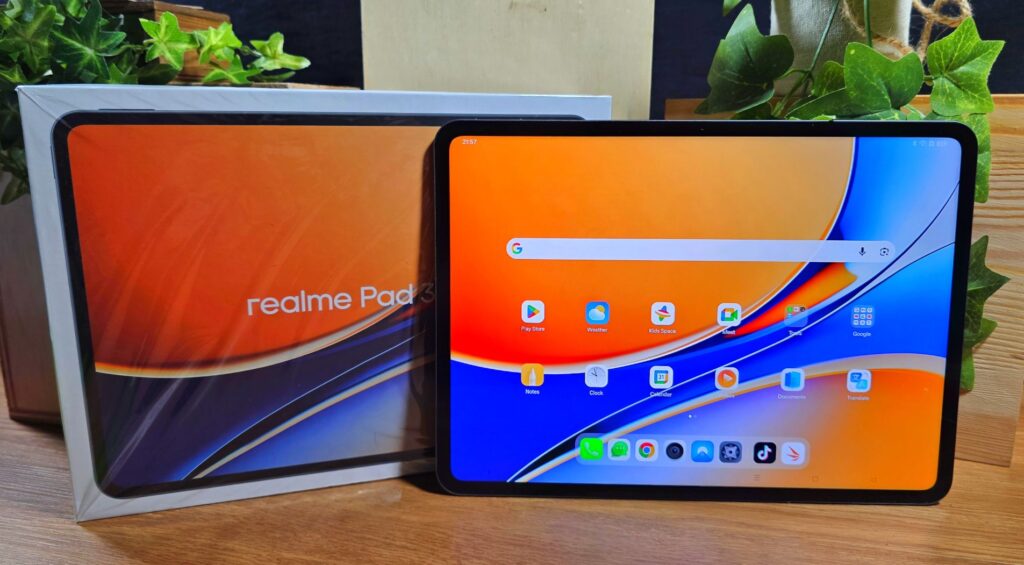
realme Pad 3 Review – Budget Productivity Tablet with Huge Battery Tested
Seeing the state of things these days, everyone is looking to stretch every dollar as far as it can go especially when it comes to tech. After taking it for a spin, here’s our realme Pad 3 review where we share if it truly offers bang for the buck.
realme Pad 3 review – Build and Design
Table of Contents
The realme Pad 3 is a budget tablet that aims to cram in as much value as possible into its price point. Aesthetically speaking, our realme Pad 3 review sample has a fairly conventional design with rounded corners, straight edges and a flat backplate and front display.
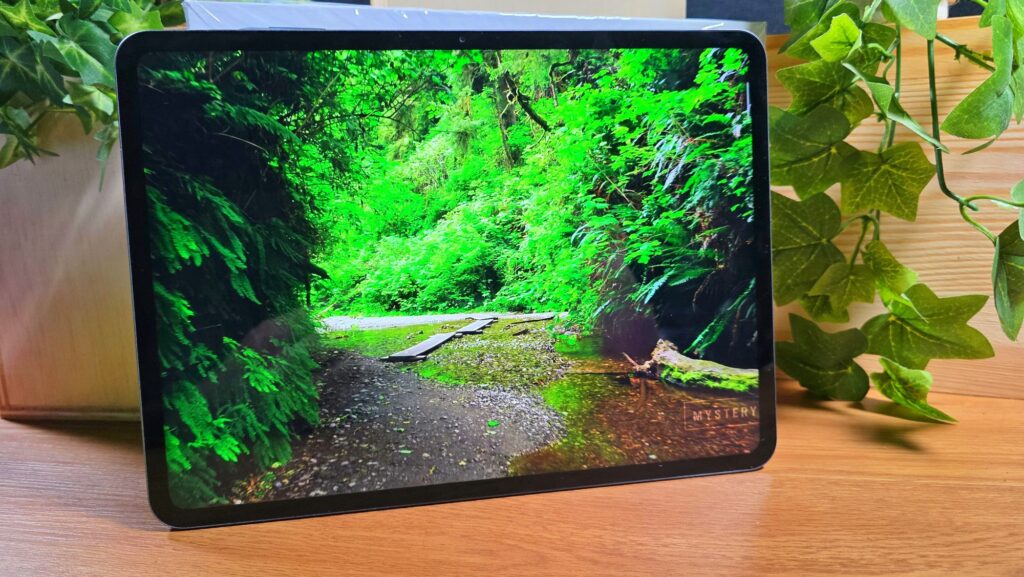
While it does look aesthetically pleasing, it has no dust or water resistance so some care needs to be taken if you’re heading into somewhere wet or dusty like a construction site or near a pool.
In terms of layout and design, the tablet is intended to be primarily used in landscape mode with its sides featuring two speakers per side with four in total while the right side adds in a USB-C port for charging and docking duties and the left features a power button that doubles as a fingerprint reader.
The base of the tablet is otherwise unremarkable with the top hosting a volume rocker and a SIM card tray that also allows you to cram in a microSD card to expand the 256GB of onboard storage.
The backplate of our realme Pad 3 review sample comes in a dark gunmetal grey that they refer to as Space Grey though it can also be acquired in a lighter metallic bronze finish called Champagne Gold. Even with extended use over a period of a week, the finish repels fingerprints nicely while adding a slight measure of grippiness. Perched in a corner of the tablet is a single 8MP camera housed in a square-shaped camera housing.
Up front, the realme Pad 3 features an 11.61-inch IPS LCD with 2,800 x 2,000 pixels resolution, a 120Hz refresh rate and a quoted 550 nits HBM. The tablet also features a 7:5 aspect ratio for easier reading and web browsing.
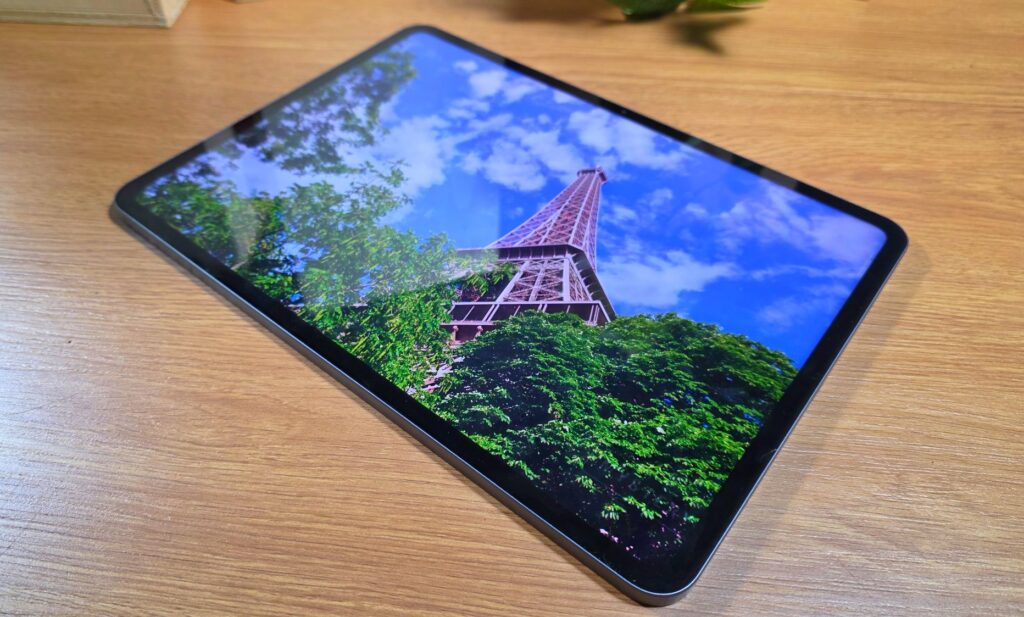
Likely as a concession to cost, the tablet only maxes out at 96% NTSC which works out to about 100% sRGB and about 71% DCI-P3 colour gamut which means that it doesn’t fully reproduce a sufficiently full colour gamut which is required for content creators.
Bundled with the tablet is a 45W charger, a USB-C cable, a SIM eject pin and the usual paperwork.
For a limited time, realme bundles in a wireless keyboard case as well as a stylus for the Malaysia market while stocks last which adds quite a bit of bang for the buck.
The keyboard case itself snaps onto the backplate of the tablet and pairs up via Bluetooth. Rather than sipping power off the tablet, the keyboard case has its own built-in battery with a USB-C port for charging.
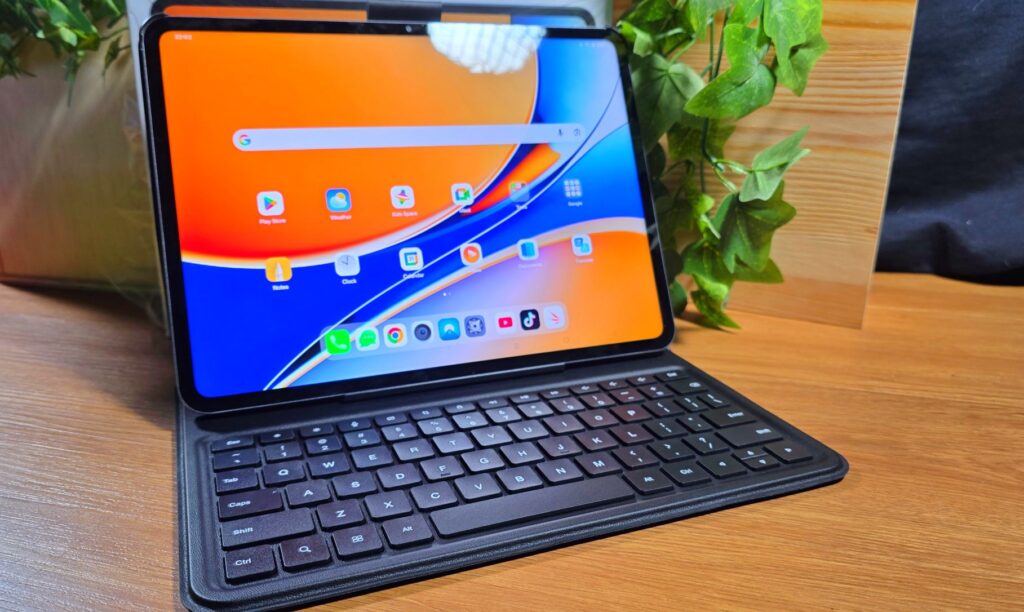
Pairing it is somewhat non-intuitive and after fully charging the tablet, you’ll need to pair it by holding down the Ctrl and C button but it pairs up in a relatively swift fashion. Like many other budget designs, the keyboard case is integrated into the case and is non-detachable. It also features a magnetised groove that lets you prop the tablet up swiftly for work.
realme Pad 3 review – Performance and Benchmarks
In terms of hardware, our realme Pad 3 review sample comes rather well appointed for a budget tablet. Powering the tablet is a MediaTek Dimensity 7300-Max tablet built on a 4nm process paired with 8GB RAM and up to 10GB of virtual RAM off its onboard 256GB of expandable storage via its microSD card slot that supports up to 2TB cards.
The tablet itself runs the latest Android 16 overlaid with realme UI 7.0. Of note is that the tablet supports 5G connectivity which still isn’t very common for budget tablet designs, which lends it a measure of versatility for usage away from WiFi hotspots.
Astute readers will note that the Dimensity 7300-Max is also used in the realme 16 Pro which we recently tested. Here’s how our realme Pad 3 review sample stacks up on paper:
| Price | RM1,699 |
| Display | 11.61-inch IPS LCD, 2,800 x 2,000 pixels, 120Hz refresh rate, 96% NTSC, 550 nits HBM |
| Processor | MediaTek Dimensity 7300-Max |
| OS | Android 16 w realme UI 7.0 |
| Memory | 8GB RAM /256GB+microSD card |
| Cameras | 8MP f/2.0 [rear] / 8MP f/2.0 [front[ |
| Battery | 12,200mAh w/ 45W fast charge |
| Size/Weight | 255 x 187.3 x 6.6mm / 578g |
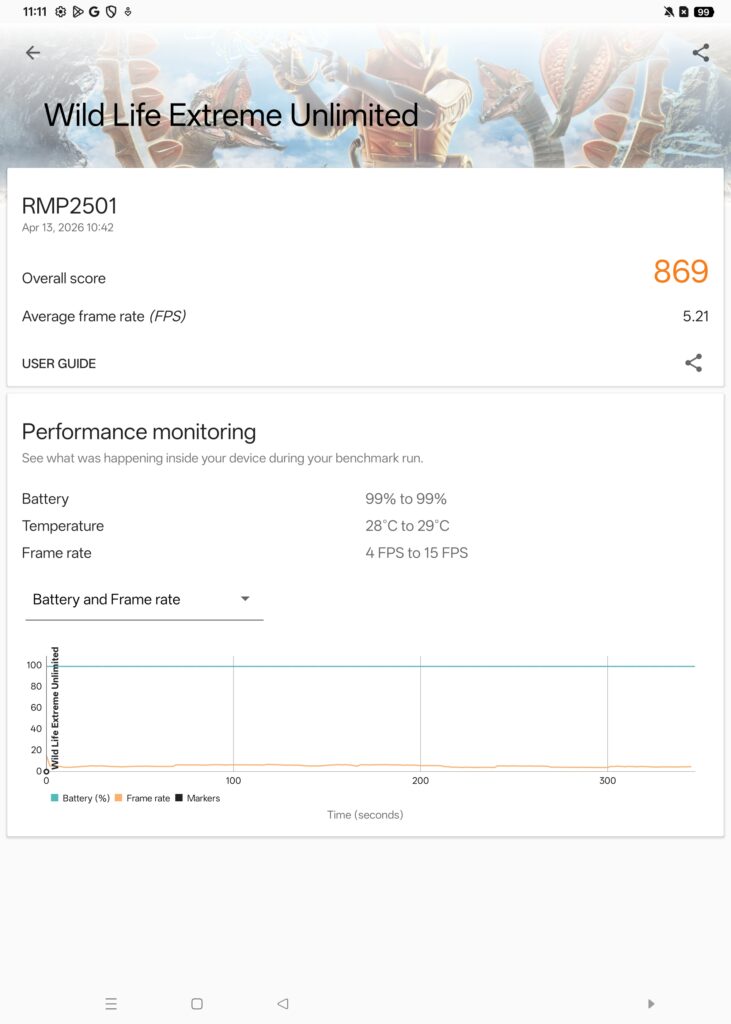
With 10GB of virtual RAM, our realme Pad 3 review sample scored the following benchmarks:
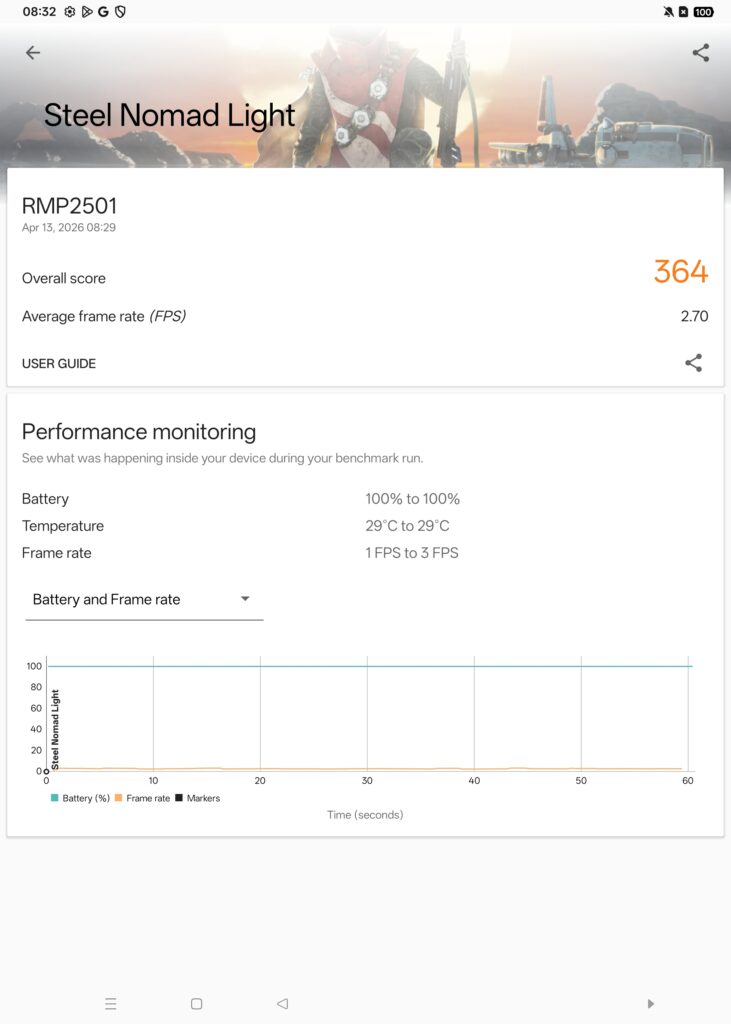
| 3D Mark Steel Nomad Light | 364 |
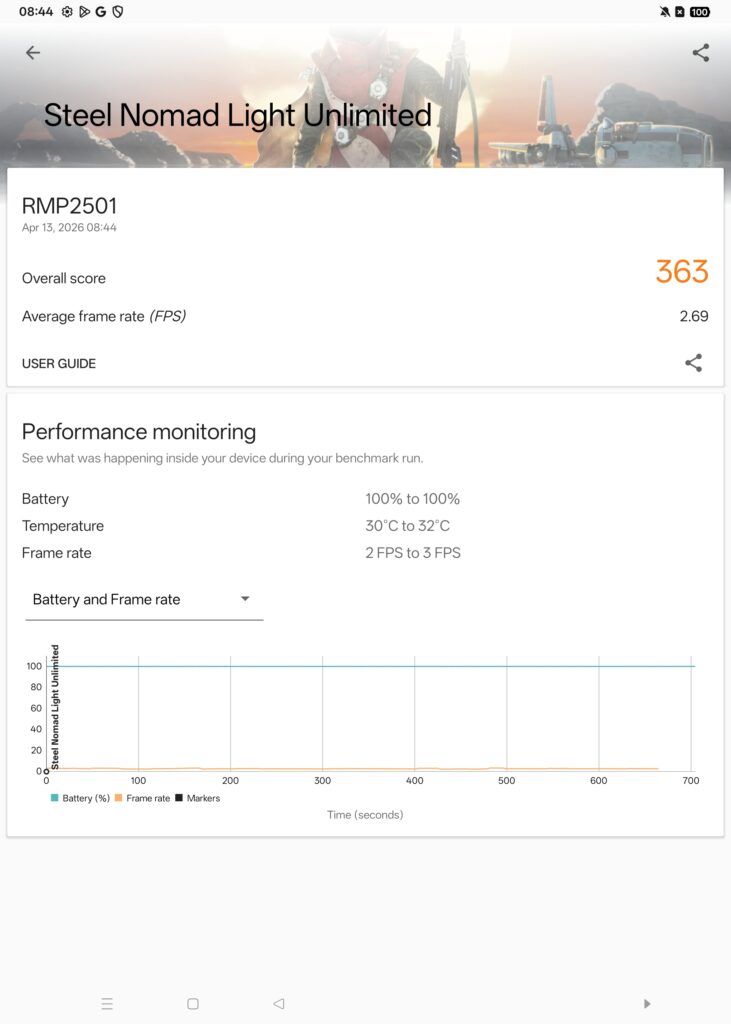
| 3D Mark Steel Nomad Light Unlimited | 363 |
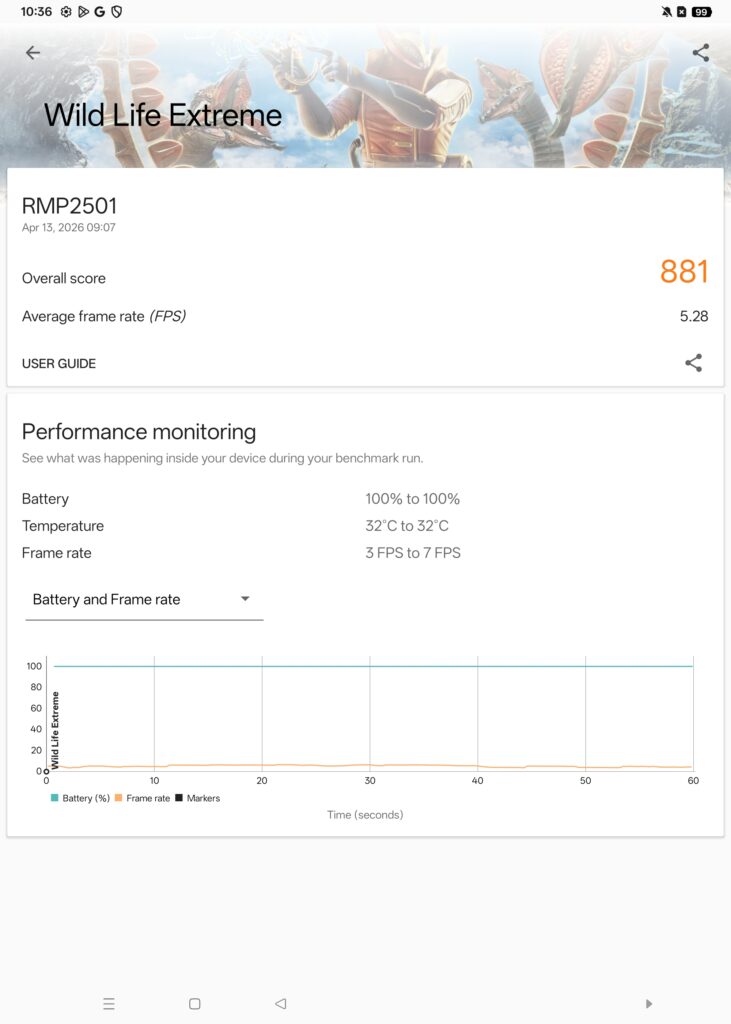
| 3D Mark WildLife Extreme | 880 |
| 3D Mark WildLife Extreme Unlimited | 869 |
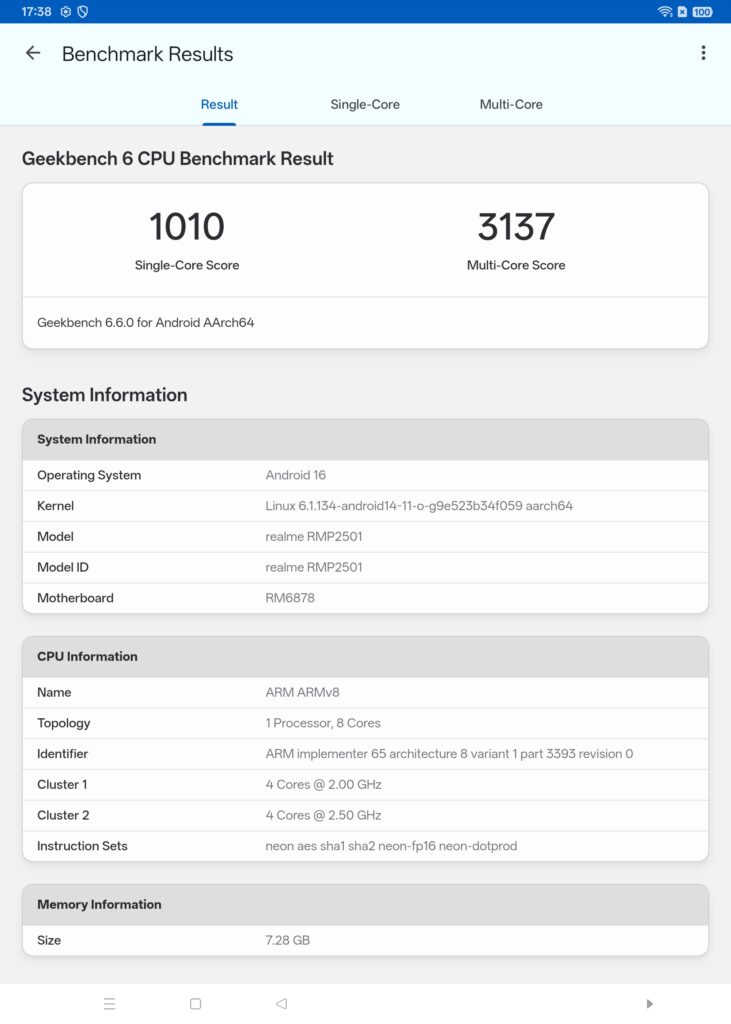
| Geekbench 6 Single Core | 1,010 |
| Geekbench 6 Multi Core | 3,137 |
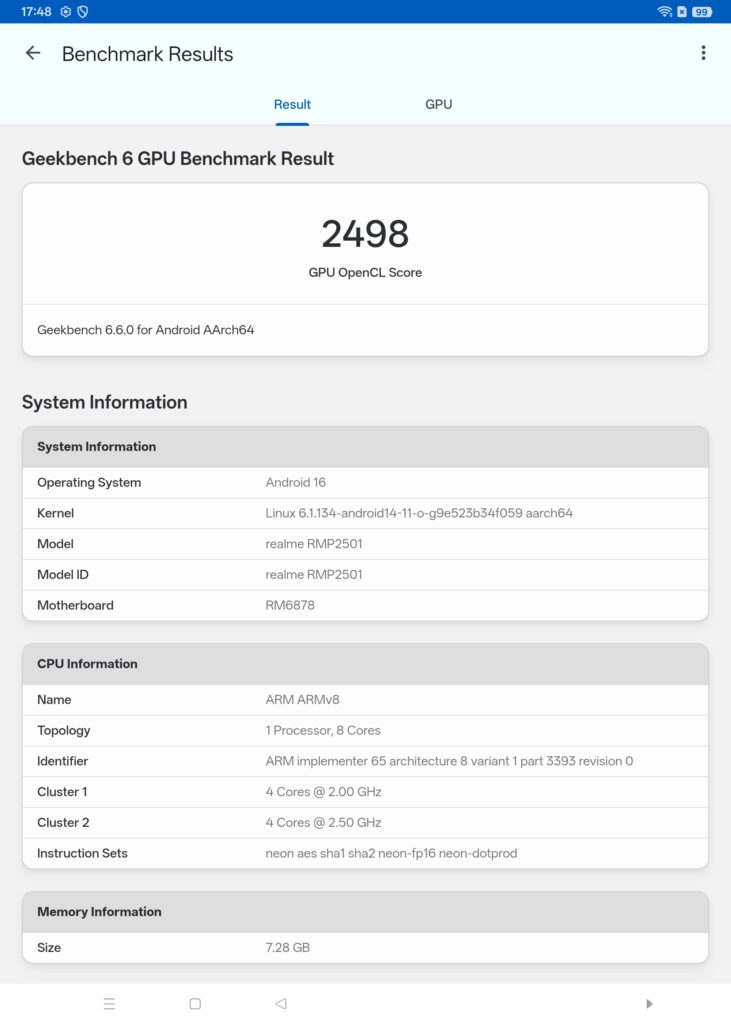
| Geekbench 6 OpenCL | 2,498 |
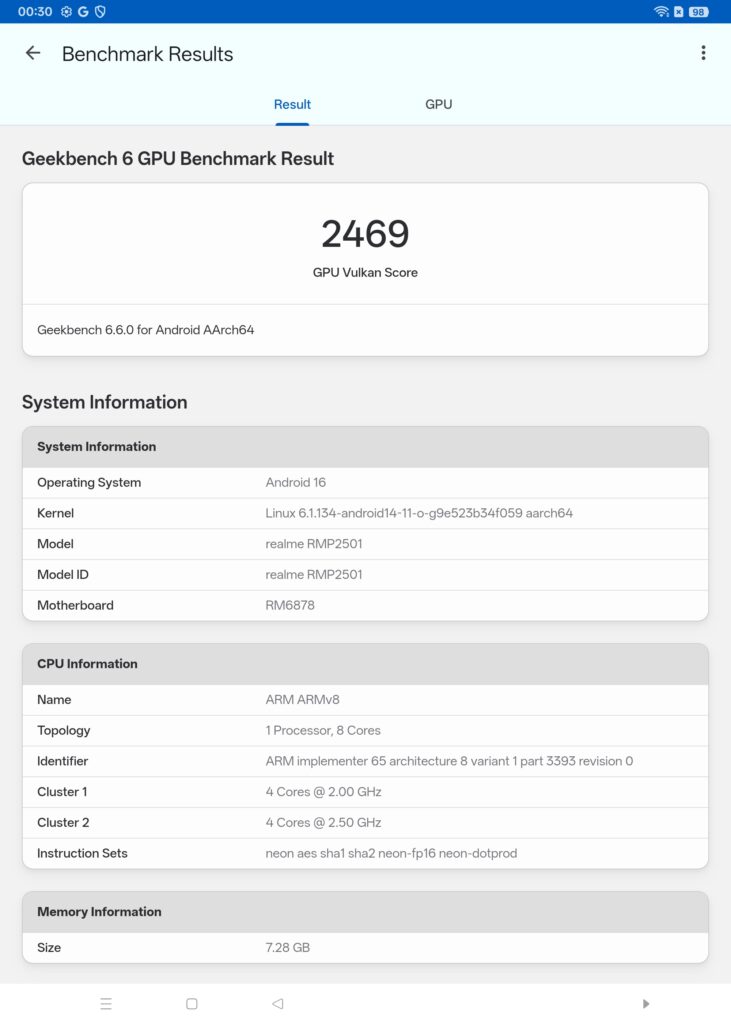
| Geekbench 6 Vulkan | 2,469 |
| Geekbench AI (CPU quanticised) | 1,980 |
| Geekbench AI (GPU quanticised) | 591 |
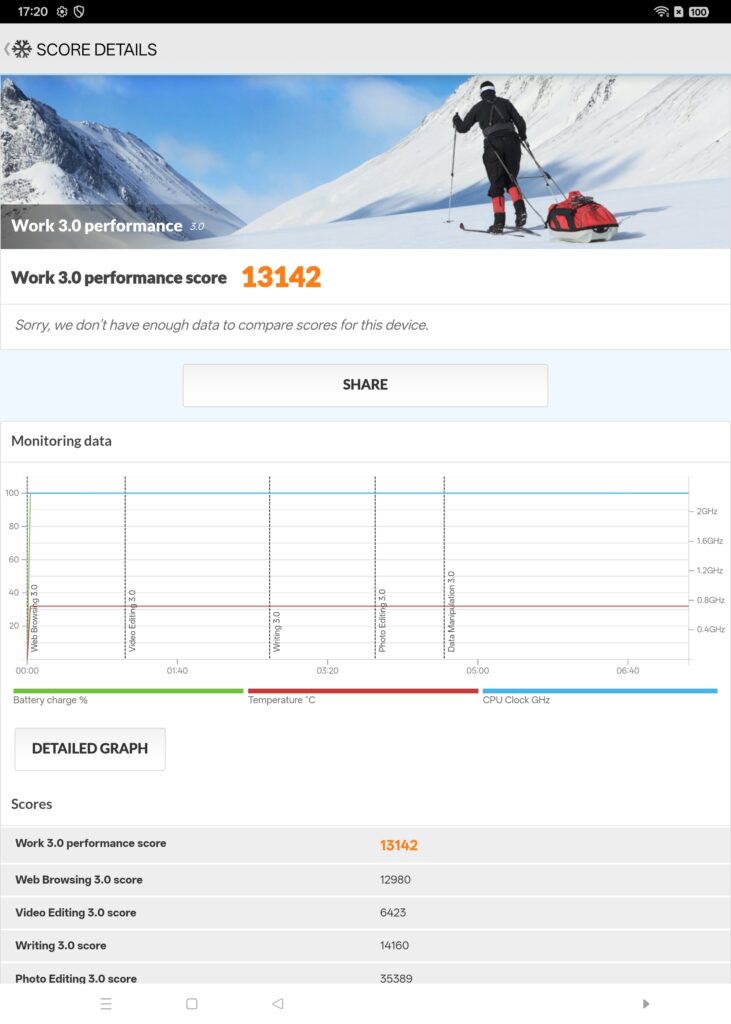
| PCMark Work 3.0 Performance | 13,142 |
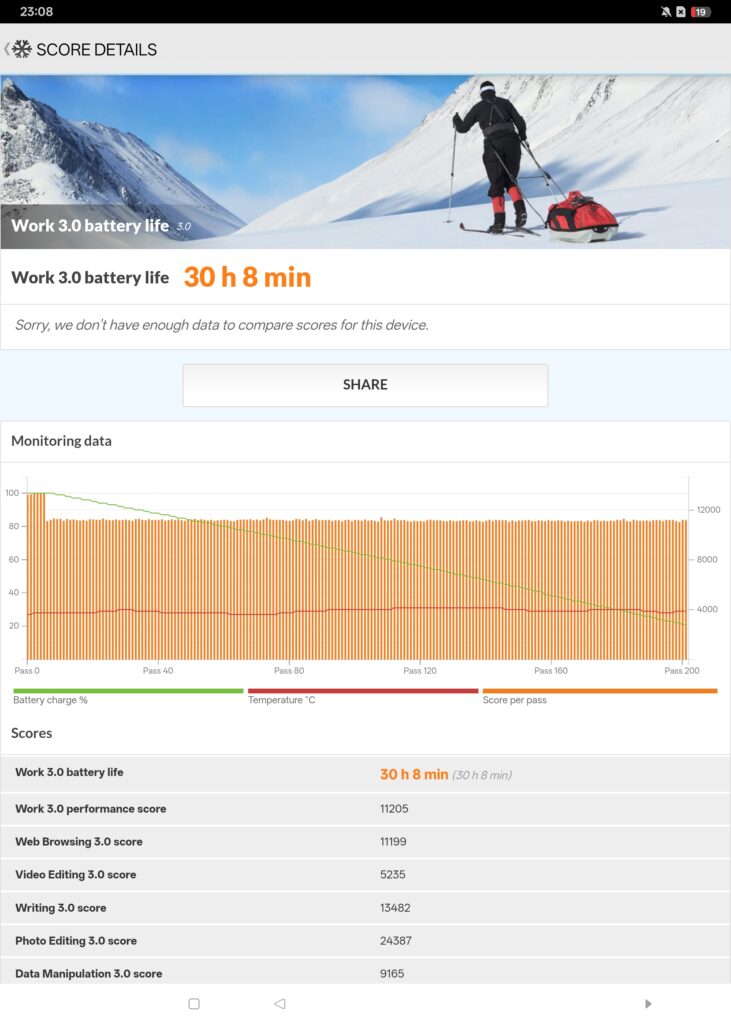
| PCMark Battery Life | 30 hours 8 mins |
In terms of overall performance, the realme Pad 3 has a similar performance profile as other devices with a DImensity 7300-Max chipset like the realme 16 Pro save in one aspect – battery life.
On account of its massive 12,200mAh battery, the tablet was able to offer a whopping 30 hours 8 minutes of endurance with WiFi on and 50% screen brightness in the PCMark Battery Life test. In practical field tests with a combination of a 5G SIM and WiFi conducting a combination of web browsing, paperwork and YouTube, it was comfortably able to last close to two days of usage.
Endurance aside, our realme Pad 3 review unit performed adequately as a general computing tablet for streaming movies, web browsing and light gaming with Genshin Impact running on default settings.
When combined with its optional keyboard case, the realme Pad 3 comes into its own and lets you get work done on the go. Of greater utility is its integration of Circle to Search by Google and Google Gemini assistant so you can tackle the usual queries and trivia.
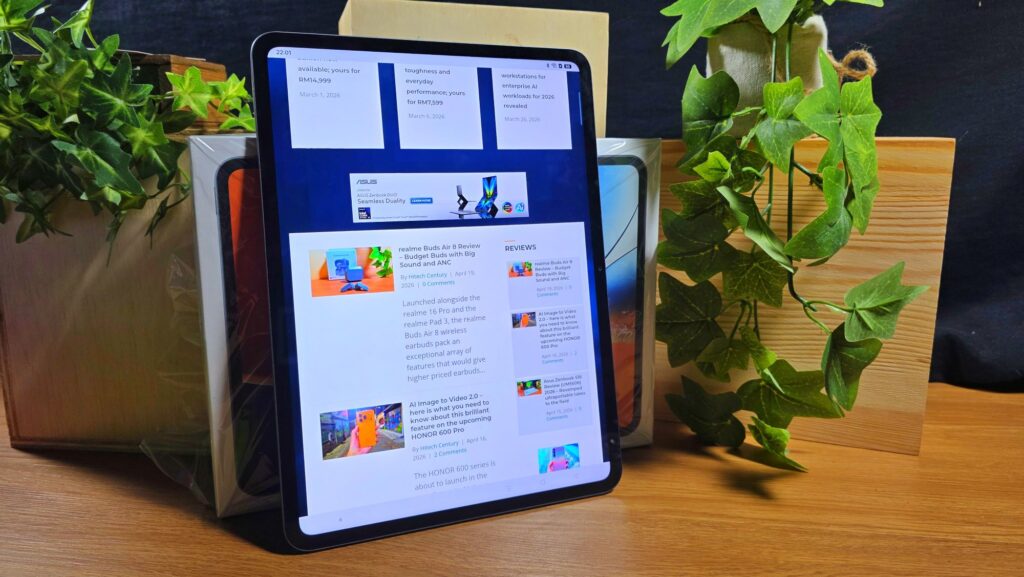
The provided display doesn’t exactly offer the deepest blacks and accurate colour rendition as it lacks 100% DCI-P3 colour gamut, but offers otherwise vibrant colours for movies and fair clarity under sunlight and smooth animations onscreen. The tall 7:5 aspect ratio also comes in particularly handy when ready e-books and documents as it follows the typical aspect ratios of a page, making poring through documents and notes a more comfortable experience.
On the audio front, the quad speakers do an adequate job when it comes to clarity and volume but offer rather underwhelming bass and sound staging. It is otherwise serviceable for watching a quick video or listening to a lecture or video call.
As expected of a tablet, the front and rear cameras are perfunctory and best and work best in brightly lit scenarios with the front-facing 8MP camera adequately working for video calls which come in useful during online meetings and classes.
Should you buy the realme Pad 3 tablet?
The realme Pad 3 is a budget tablet with a feature set that’s well suited for everyday computing tasks. It offers impressive battery life, 5G connectivity and a large display, though its chipset and colour accuracy mean it isn’t intended for demanding workloads or content creation.

When bundled with its keyboard case and stylus, it comes into its own as a portable productivity device, making it a solid pick for students and those on a tight budget looking to get work done on the go.
realme Pad 3 review sample courtesy of realme Malaysia. To purchase the realme Pad 3 please visit https://www.realme.com/my/realme-pad-3
realme Pad 3
-
Display
-
Performance
-
Cameras
-
Battery Life
-
AI Capabilities
-
Value
realme Pad 3
The realme Pad 3 is a budget tablet with a feature set that’s well suited for everyday computing tasks. It offers impressive battery life, 5G connectivity and a large display, though its chipset and colour accuracy mean it isn’t intended for demanding workloads or content creation.
Pros
Comes with 5G connectivity
Decent performance for general computing duties
Impressive battery life
Expandable storage via microSD card
Cons
No dust or water resistance
Screen lacks a full 100% DCI-P3 colour gamut