

HyperX QuadCast 2 Review – Great sound meets slick style
Once owned by Kingston Technology, the popular HyperX brand of accessories was acquired by HP in 2021 and since then, HP has fielded an expanding array of microphones, headphones, keyboards and other quality accessories for gamers and content creators.
Among the current line-up, the HyperX QuadCast 2 condenser microphone is among one of their more coveted designs and we jumped at the chance to field test this popular model. After taking it for a whirl around the block, here’s our HyperX Quadcast 2 review where we share if it‘s all it’s hyped up to be.
HyperX QuadCast 2 Review – Design and Performance
Out of the box, our HyperX QuadCast 2 review unit comes in a clean shade of white with blue RGB highlights securely packed in a mixture of eco-friendly paper and cardboard.
On top of the microphone itself and its integrated mount, the package also ships with a USB C-to-A dongle as well as a USB-C-to-C cable with heavy fabric braiding along its length to ensure it remains intact without fraying even with heavy use.
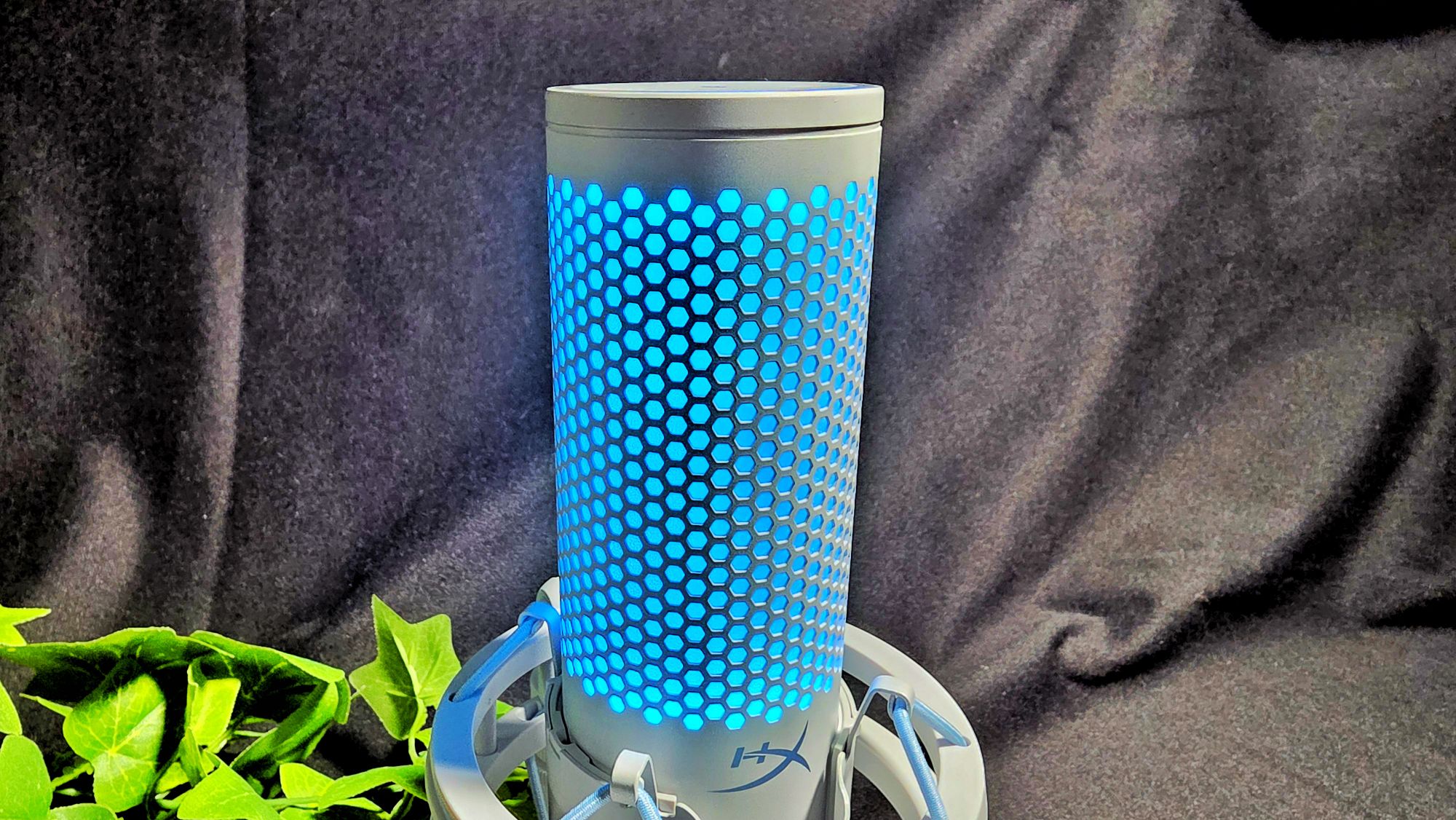
If blue RGB and white trim isn’t your thing, the microphone is also available in a shade of black with red RGB highlights. One thing to note though is that you’re stuck with your selected colourway be it white with blue RGB or red RGB with black.
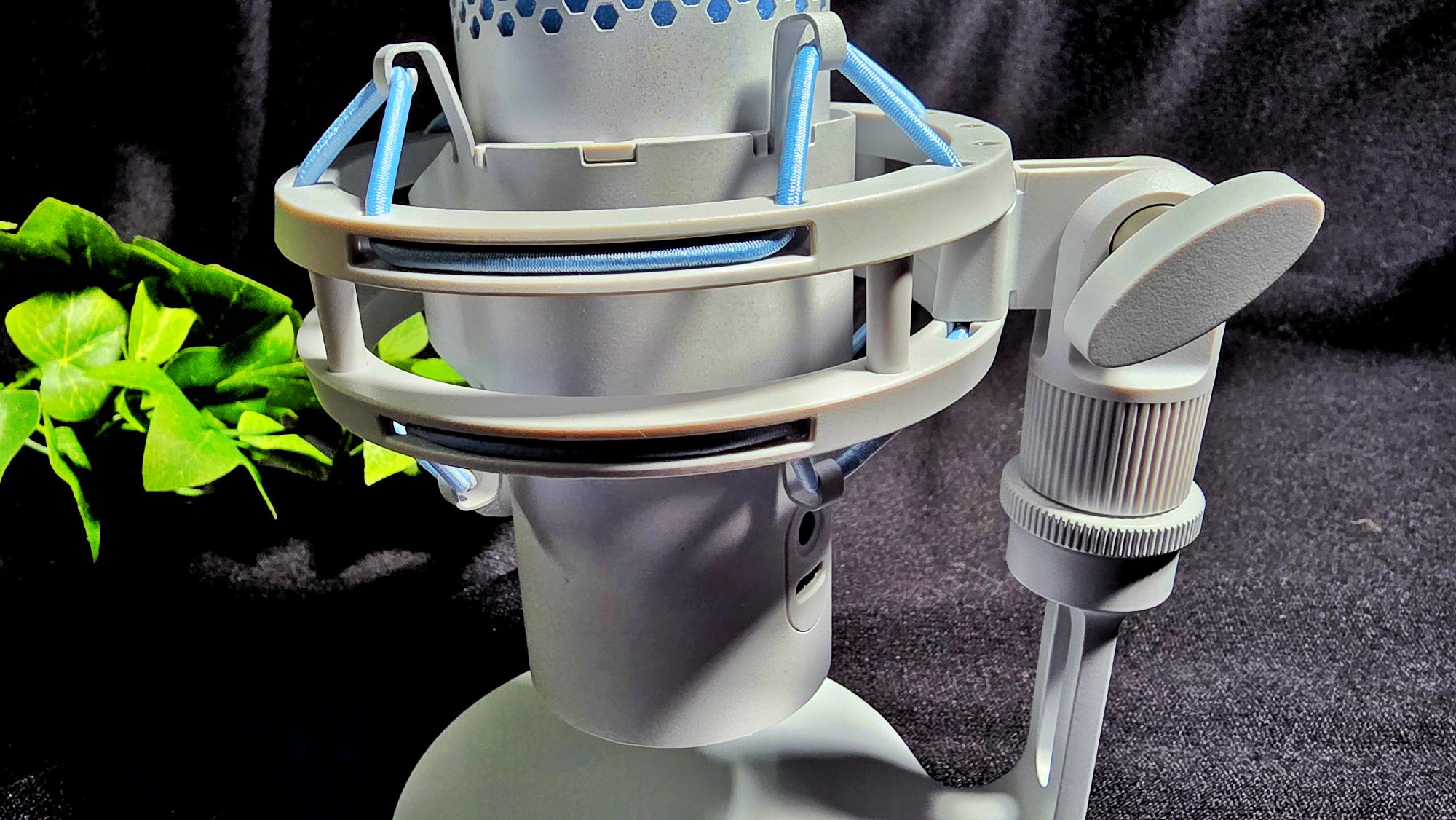
In terms of build and design, the HyperX QuadCast2 microphone is essentially a condenser microphone with its own shock mount to mitigate vibrations. The design also features a sturdy metal base that has a series of underside skid pads to prevent it from sliding about. The microphone housing itself can also be removed and mounted to another arm or stand via 3/8″ or 5/8″ threads
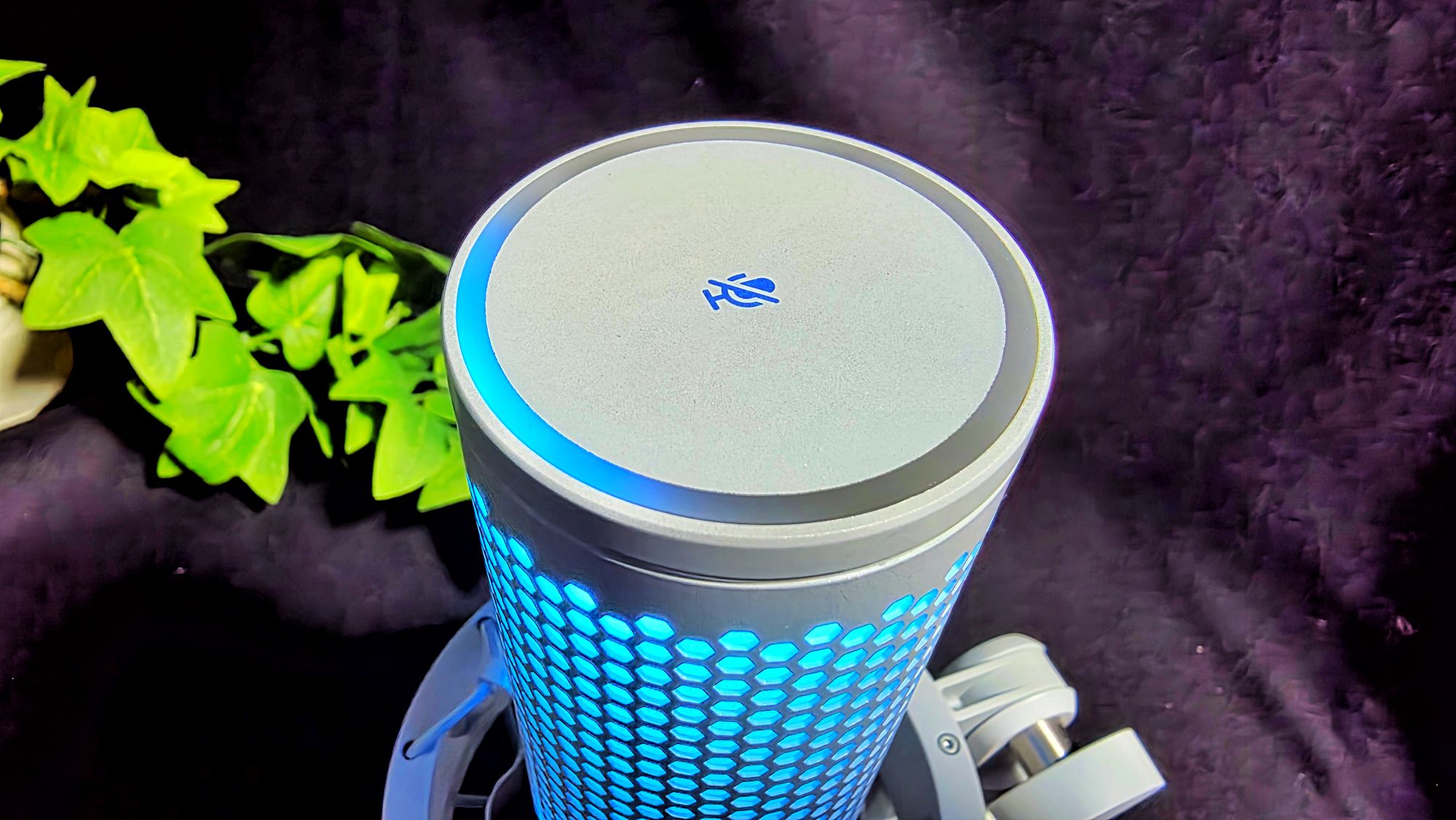
Up top, the microphone has a tap-to-mute panel and the RGB lights correspondingly turn off if the mic is off. There is also a pushable audio gain dial that lets you adjust microphone gain, adjust playback volume and adjust microphone monitoring level to taste.
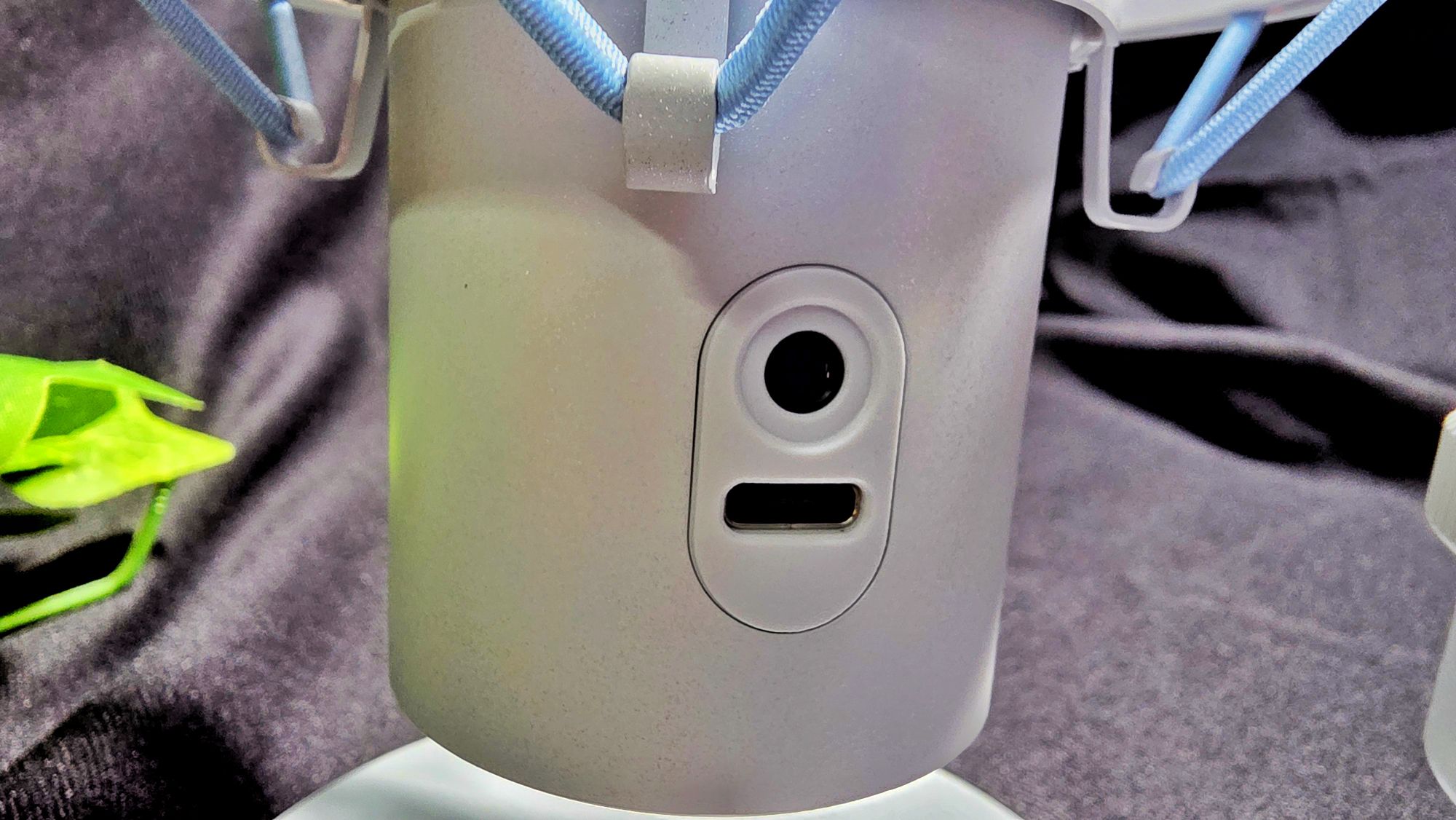
The rear has a 3.5mm audio jack as well a USB-C port that lets you hook it up to anything from a smartphone, a PC and even a console. The mic has no built-in battery, but its modest 5W power draw means it can connect to most modern day tech with no issue.
Getting it up and running is effectively plug-and-play which makes it ideal for its intended audience of novice to prosumer content creators who would be live streaming, podcasting or generally recording audio. While it isn’t intended for musicians, it can work in a pinch to record a quick demo. For mobile workers seeking to display dominance over the competition, this works as an ideal mic for video calls.
Audio is recorded in high quality 24-bit, 96kHz and if you’re looking for more precise tuning, you can download the free HyperX NGENUITY app. Unfortunately, the app is only available for Windows PCs so if you’re on macOS or another platform, you may be up the creek with no paddle.

HyperX QuadCast 2 Review – An interesting quirk of the app is that it depicts a red and black design whereas our test unit is blue and white
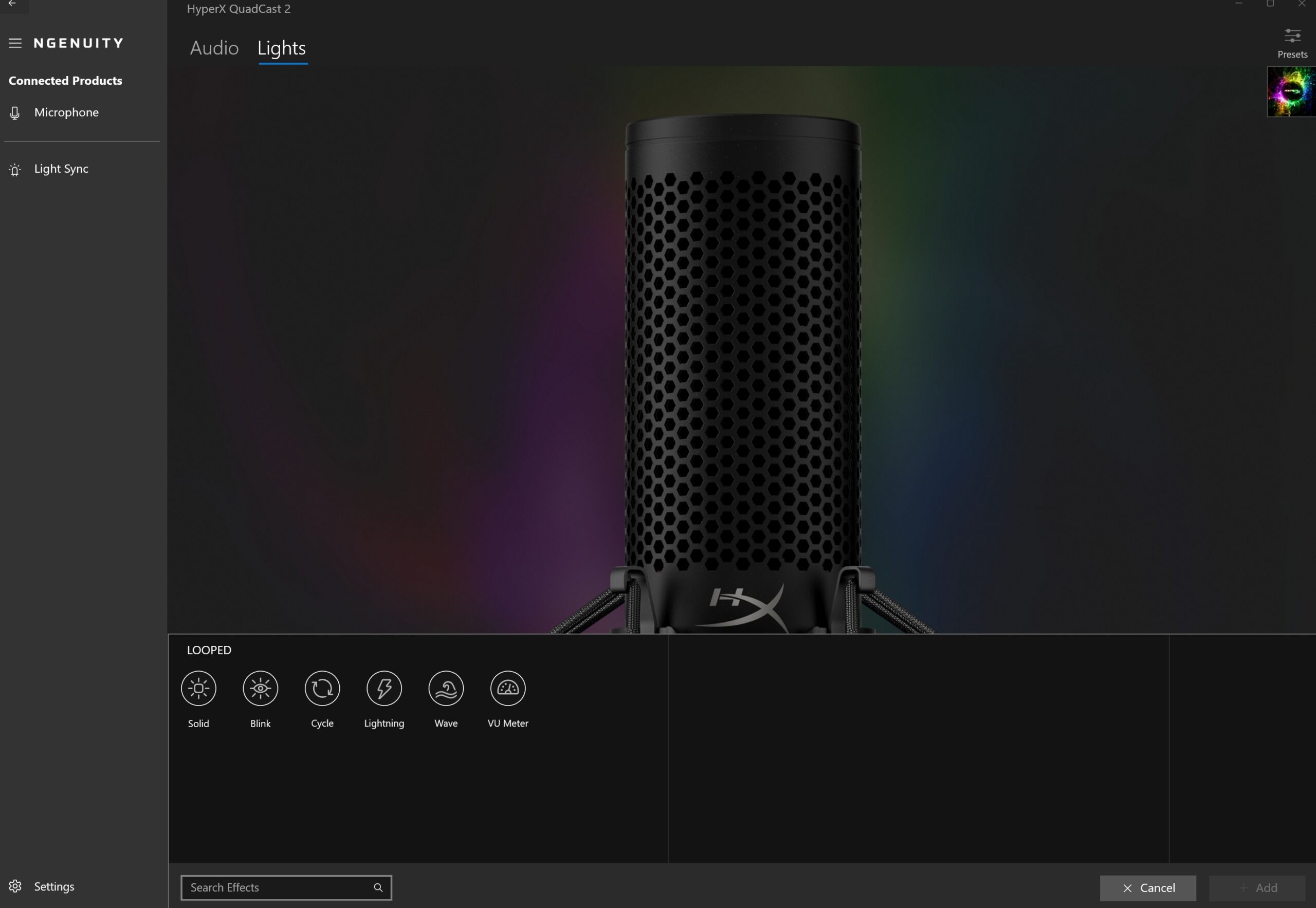
HyperX QuadCast 2 Review – The app lets you alter the RGB lighting patterns to taste

Within the app itself, you can activate a digital high pass filter on captured audio, tweak the visualisation patterns of the RGB to taste and, most importantly, alter the polar patterns to taste with your choice of Cardioid, Omnidirectional, Bidirectional and Stereo polar patterns to choose from.
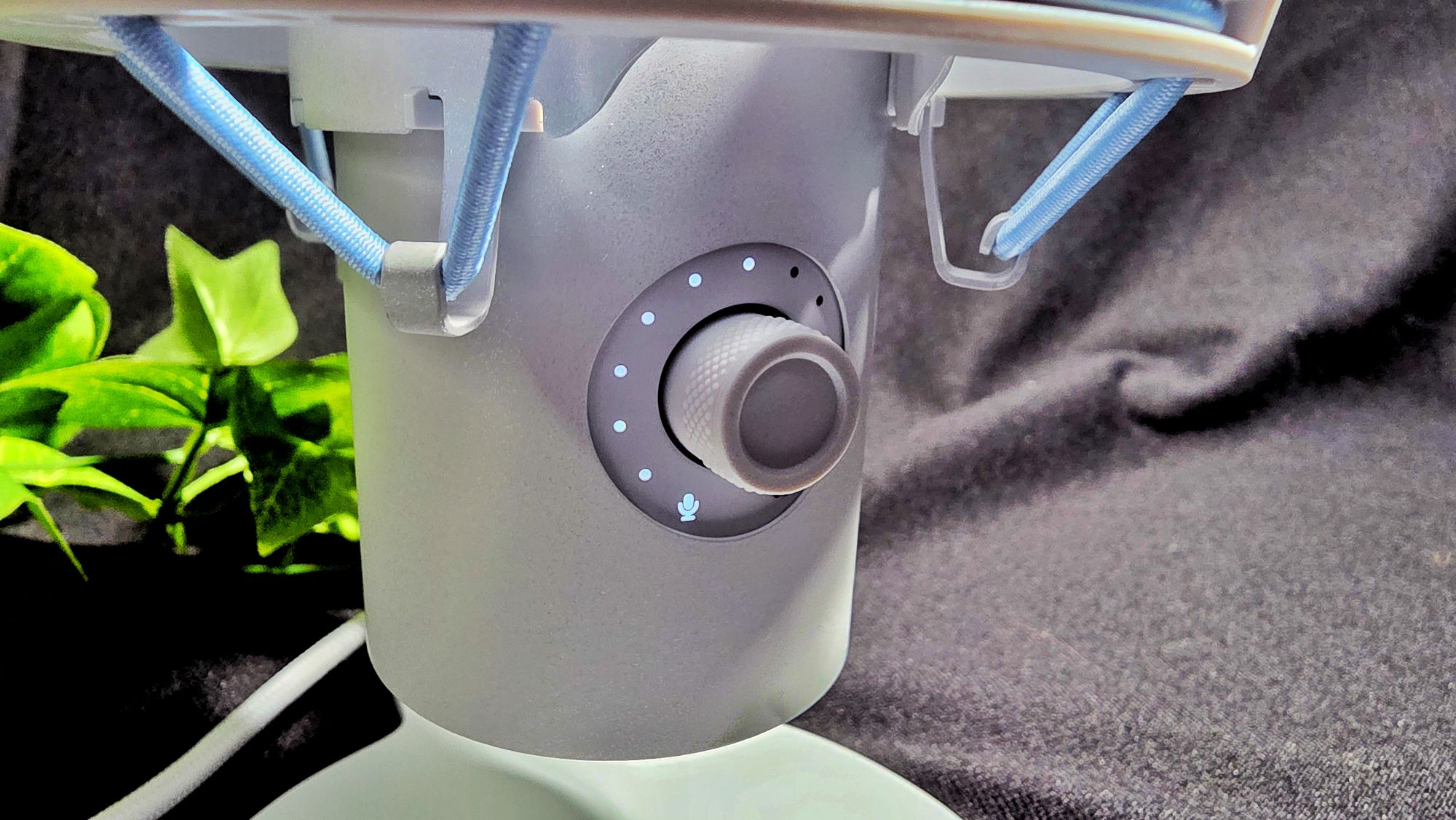
Alternatively, you can hold down the clickable volume dial to swap between polar patterns with the top LED around the tap-to-mute panel lighting up to indicate what pattern you have selected.
If only the front section facing you lights up, it’s cardioid while if only the sides light up, it’s stereo. If the front and back portions light up, it’s bidirectional while if everything lights up, it’s omnidirectional. Beyond these settings, there’s not many other options to tweak the audio though seeing its intended audience, this simplicity is its strength as it’s able to offer up good sound out of the box without having to tweak anything.
When put to the test, our HyperX QuadCast 2 review sample did not disappoint and was able to generate crisp and clear voiceovers when generating video content. You’ll need to have some familiarity with the polar patterns of course for best results or you may inadvertently miss audio that you intend to capture.
Should you buy the HyperX QuadCast 2?
The HyperX QuadCast 2 microphone is easy to use and effective, offering crisp and clear audio quality. What makes it particularly appealing though is that getting it up and running is exceptionally easy which will endear it to many content creators looking for an effective audio solution.


It is a bit on the pricey side at USD$149.99 (about RM634) but is well worth what you pay for. With its combination of easy deployability and performance, it is highly deserving of our Editor’s Choice award and a Gold Award.
HyperX QuadCast 2 review sample courtesy of HP Malaysia. To purchase, please visit https://hyperx.com/products/hyperx-quadcast-2-usb-microphone