

Infinix XPAD Edge Review – Budget Productivity Tablet with the Works for RM1,299
Mention Infinix and you’d likely bring to mind their line-up of affordable gaming-oriented phones but they are looking to stake a claim in the productivity space with their latest offering, the Infinix XPAD Edge, a budget tablet that aims to offer a ton of features and a PC-like experience for a very modest price.

We managed to score a unit ahead of its official launch in Malaysia and after using it as a daily workhorse, here’s our Infinix XPAD Edge review where we share if this RM1,299 budget workhorse is worth what you pay for.
Infinix XPAD Edge review – Design
Table of Contents
When held the tablet feels pleasantly sturdy and well made though it doesn’t seem to have any official dust or water resistance nor any drop resistance rating though Infinix states that the tablet has undergone 3-axis bending, free-fall and high-drop tests across a range of environments.
Naturally, we weren’t able to put this claim to the test as we only have one unit for testing but our Infinix XPAD Edge review sample held up well without any scratches or nicks in our week plus of toting it about in our backpack for work and across multiple coffee shop tables and work desks.
The backplate itself is a simple affair save for a single 8MP camera located in the corner. While it looks like an elaborate dual-camera setup, the second camera housing actually houses an LED flash.

Flanking the front 13.2-inch IPS LCD display are four speakers, allowing the tablet to offer up to 300% more volume over a conventional stereo speaker setup. Perched just above the display is a single 8MP camera for selfies and video calls.
The base is otherwise unremarkable but the top of our Infinix XPAD Edge review unit sports a power button, volume rocker and a SIM card tray that lets you add in a microSD card up to 2TB in size to augment onboard storage as well as a nano SIM card for 4G LTE connectivity.
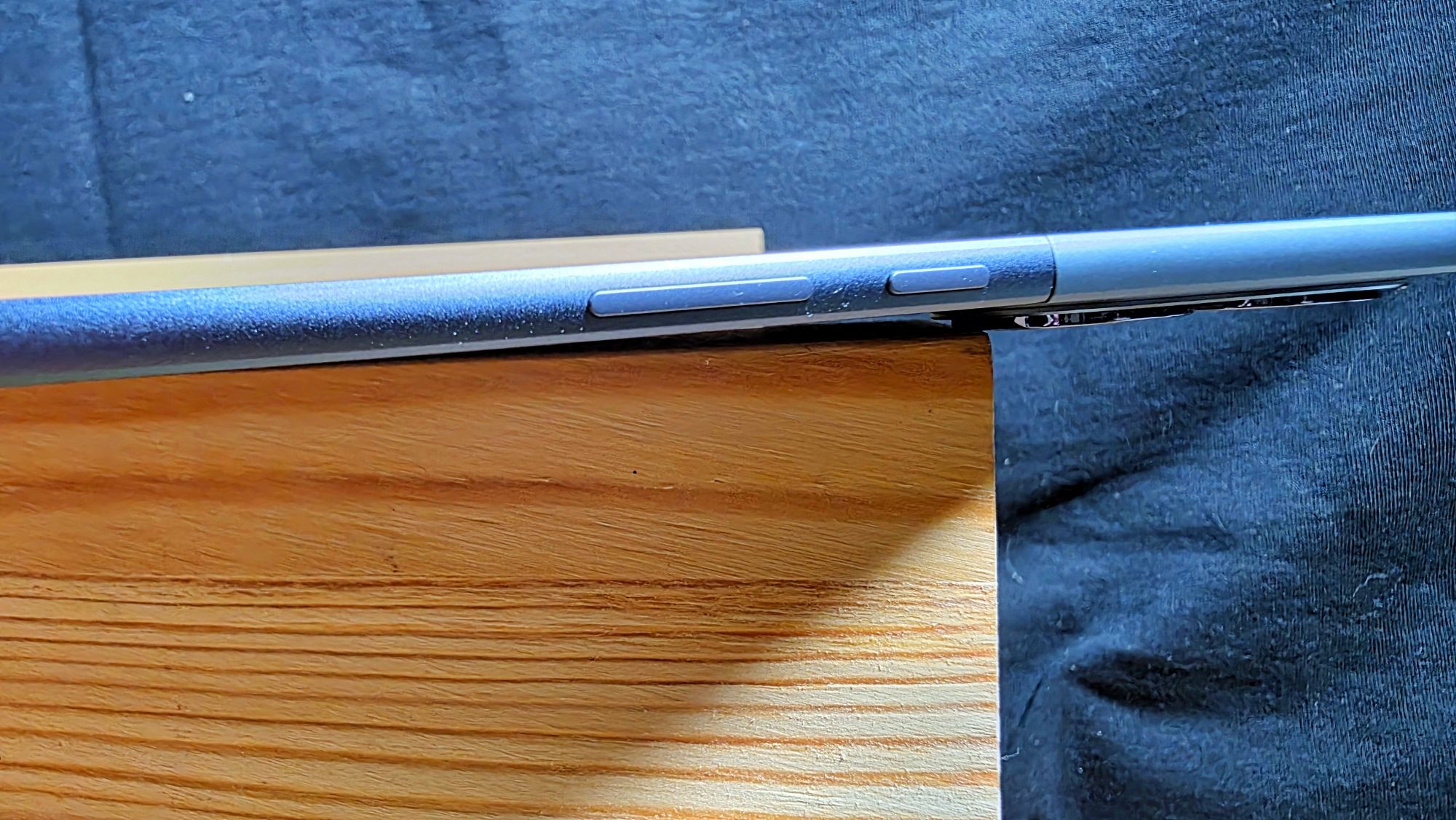
In terms of build and design, our Infinix XPAD Edge review unit looks surprisingly well made, with an aluminium chassis that is a remarkably svelte 6.99mm thin while being just 588g.
The backplate itself is done up in a deep metallic blue shade that they’ve referred to as ‘Celestial Ink’. Even after a week of heavy use, the chassis has remained free of fingerprints though the display itself still has the usual array of smudges and whatnot as the provided screen protector lacks an oleophobic coating.
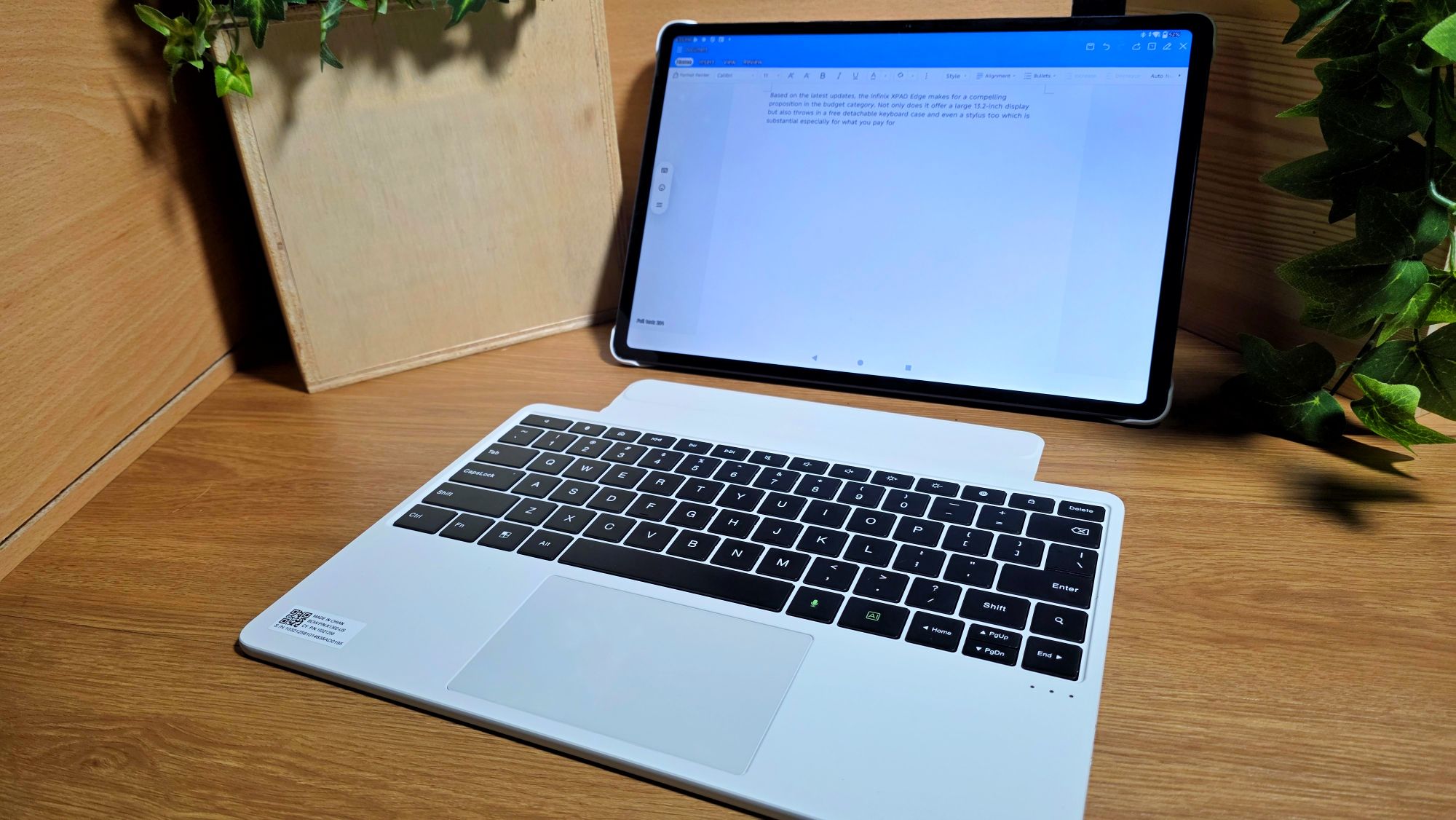
Out of the box, our Infinix XPAD Edge review unit, which is a retail sample for the Malaysia market comes with quite a comprehensive array of kit. On top of an 18W charger and USB-C cable, the tablet also comes with a free stylus and a surprisingly well made keyboard case.
Half of the case itself snaps onto the backplate of the tablet and features an integrated flip-out kickstand. The kickstand itself is able to flip out and down to a near 120-degree angle, allowing you to use it like an easel.

What makes it magic here is that the wireless keyboard can be detached, allowing you to use it a short distance away from the tablet while remaining connected via Bluetooth.
Even better, the keyboard itself also features an integrated touchpad in the fashion of a conventional laptop along with a USB-C port to keep it charged. As a nod to thoughtful design, the case also has a small loop of plastic to keep the stylus secure during transport.

The provided stylus is large enough for comfortable use, has a set of swappable rubber nibs in case the first one wears out and has a clickable button and a USB-C port for charging. On top of these extras, our Infinix XPAD Edge review unit also has a preapplied screen protector on the display.
Infinix XPAD Edge review – Display
Infinix has put some thought into optimising the tablet towards productivity related tasks. Rather than simply leaving it at the usual 16:9 aspect ratio, our Infinix XPAD Edge review unit has a 13.2-inch IPS LCD panel with a more practical, broader 3:2 aspect ratio that allows you to browse two open web pages or documents simultaneously without the usual windows resizing hassles.

Even better, the display has TÜV Rheinland Low Blue Light and Flicker Free certification, which optimises it for extended usage. However, the display does have some tradeoffs as it maxes out a 60Hz refresh rate and isn’t as accurate for colour rendition as it’s officially rated for 72% NTSC which works out to about 100% sRGB but about 86% of DCI-P3 colour gamut which is less than required for accurate colour reproduction.
This makes it less than ideal for serious content creators who require colour accuracy but that’s not a deal breaker seeing its intended role for paperwork and content consumption.
Infinix XPAD Edge review – Specifications and Benchmarks
In terms of hardware, the Infinix XPAD Edge only comes in one configuration, with the tablet featuring a midrange Snapdragon 685 processor paired with 8GB LPDDR4X RAM and the option to further augment it with 8GB of virtual RAM off the onboard 256GB UFS 2.2 storage.
As it stands, the Snapdragon 685 chipset is a midrange processor launched sometime in 2023 and is an octacore processor built on a 6nm process with Kryo CPUs A73 CPUs clocked at up to 2.8GHz that also integrates a Hexagon NPU to assist in AI-related tasks.
The chipset also integrates 4G LTE connectivity. Here’s how our Infinix XPAD Edge review unit stacks up on paper:
| Price | RM1,299 |
| Display | 13.2-inch 2.4K IPS LCD, 2,400 x 1,600 pixels, 60Hz refresh rate, 88.10% screen-to-body ratio, TÜV Rheinland dual eye protection certification (Low Blue Light and Flicker Free) |
| Processor | Snapdragon 685 |
| OS | Android 15 |
| Memory | 8GB LPDDR4X / 256GB UFS 2.2 w/ microSD card |
| Camera | 8MP f/2.0 w/ autofocus (rear) / 8MP f/2.2 (front) |
| Battery | 8,000mAh w/ 18W charging, reverse wired charging |
| Size/Weight | 298.36 x 292.59 x 6.19mm / 588g |
Running under the hood is a relatively clean implementation of Android 15 with a few of their own embellishments preinstalled including a preinstalled copy of WPS Office for productivity related tasks, their own Palm Store app store which has a rather Chinese-centric array of apps separate from the Google Play Store and the Infinix Learning Centre to entertain and educate younger users.
The tablet will also get three years of OS updates and four years of security updates which is a pleasant bonus that also adds to its longevity.
Of greater interest is that the tablet features Infinix’s own Folax AI that leverages Deepseek R1 for seamless voice interactions.
At its heart, Folax offers the usual array of AI features including translation capabilities and the ability to reword or summarise text though Infinix has added a set of selectable prompts for a number of whimsical applications. Among the prompts you can use the ability to chat with an astrologer, talk with a cat or tweak certain system settings like the volume or to take a selfie.
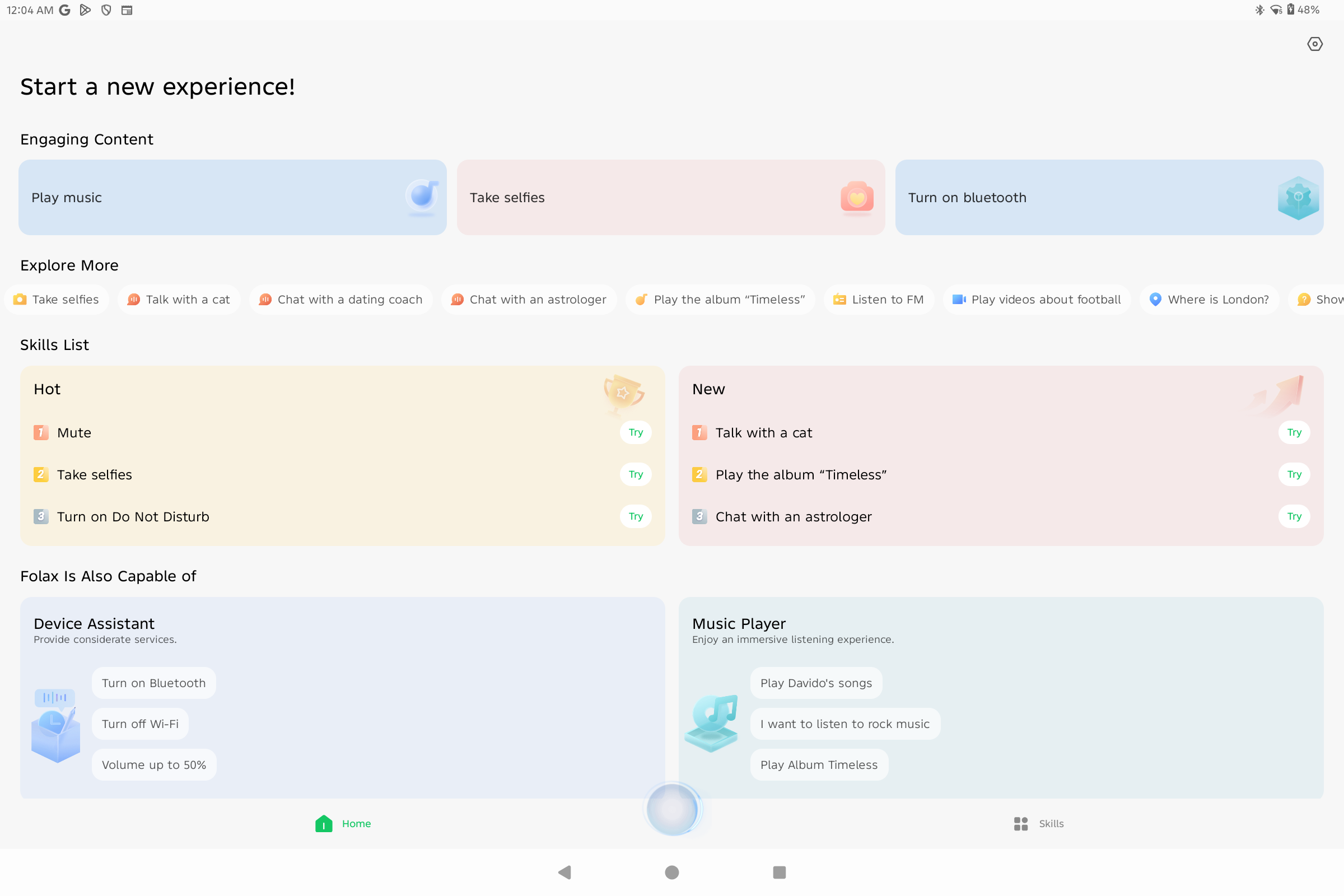
The ‘astrologist’ prompt isn’t particularly indepth and only covers broad specifics on synastry and natal charts with little nuance or accuracy but it is a fun distraction as is the ability to converse with the AI like a cat. Fortunately, the AI text editing feature is of greater utility and works well for short replies and texts.
When subjected to synthetic benchmarks, our Infinix XPAD Edge review sample scored the following:
| 3D Mark Wild Life | 643 |
| 3D Mark Wild Life Unlimited | 638 |
| 3D Mark Wild Life Extreme | 137 |
| 3D Mark Wild Life Extreme Unlimited | 137 |
| Geekbench 6 Single Core | 474 |
| Geekbench 6 Multi Core | 1,580 |
| Geekbench 6 OpenCL | 377 |
| Geekbench 6 Vulkan | N/A |
| PCMark Work 3.0 | 7,227 |
While it is designed primarily as a power efficient midrange processor, the Snapdragon 685 still gives a fair accounting of itself despite the lack of support for many Vulkan features, which explains why it wasn’t able to run Geekbench 6’s Vulkan GPU test and 3DMark’s Vulkan dependent graphics benchmarks like Steel Nomad.
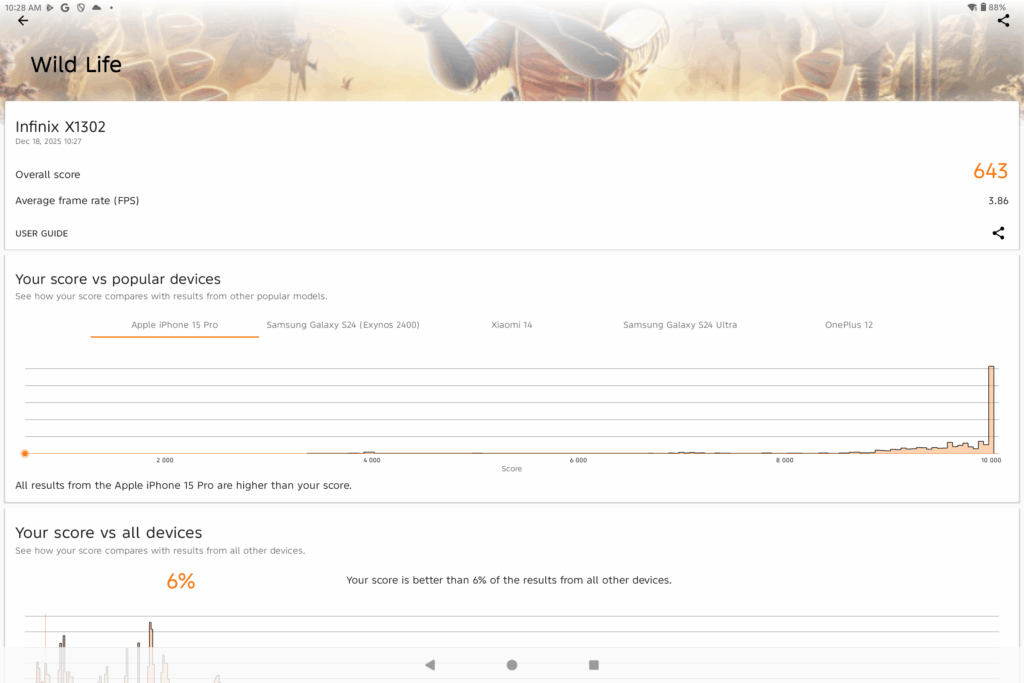
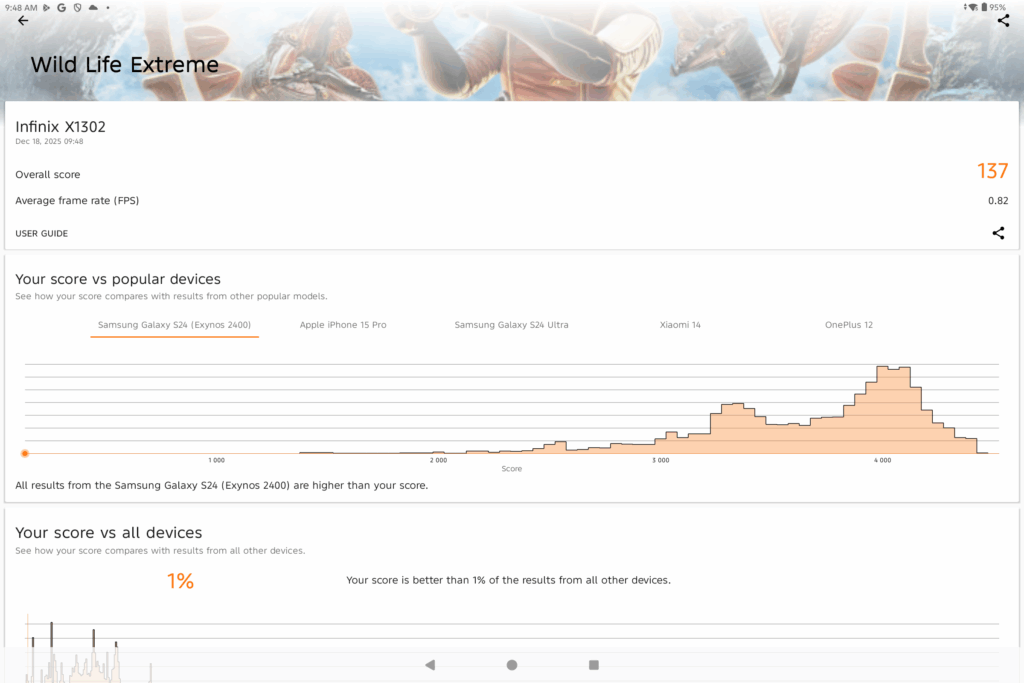
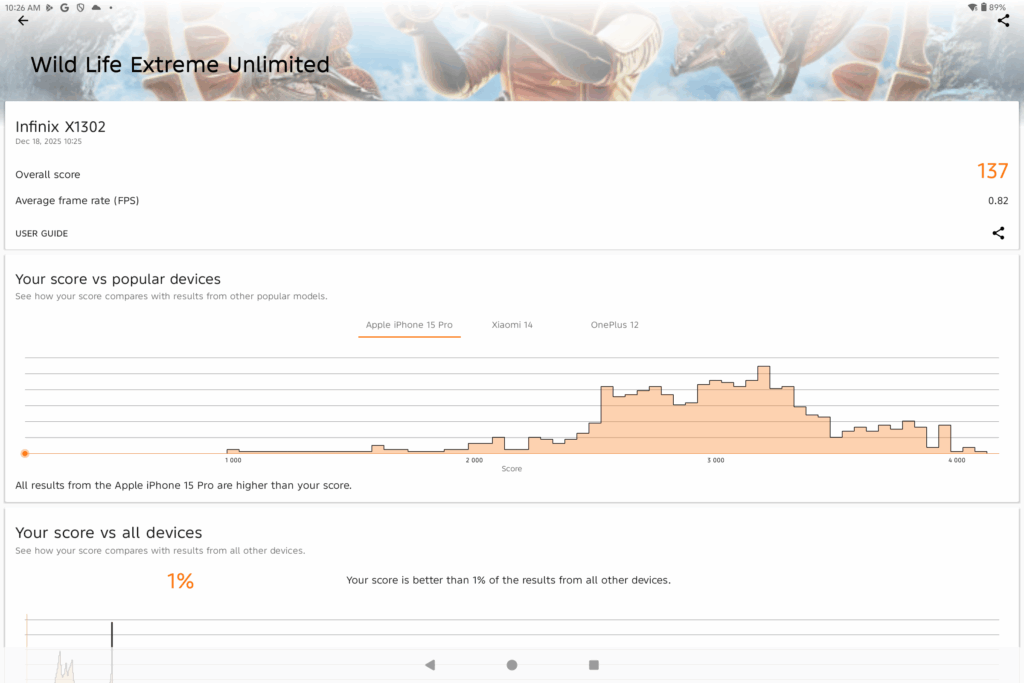
While benchmarks aren’t stellar, it was able to handle practical day to day tasks like web browsing, Google Docs and WPS Office and the like in a competent fashion.
Where it showed noticeable slowdowns was in handling demanding tasks like CapCut where it had delayed loading times for footage as well as loading up Genshin Impact. There were also slight slowdowns during heavy multitasking duties and swapping out between multiple apps .
Even so, when it comes to gaming, our Infinix XPAD Edge review sample was still able to handle Call of Duty Mobile and the aforementioned Genshin Impact but on default settings albeit with slightly longer load times.
What makes the tablet shine is its bundled keyboard case. The combination of an integrated touchpad and keyboard makes crunching through assignments and paperwork a doddle, more so for the fact that the keyboard can be detached from the case itself and be used a short distance away like a normal desktop PC.
The bundled stylus also offers pleasing responsiveness with 4,096 levels of pressure sensitivity that allows users to annotate and sign off on documents.
The tablet also allows you to mirror selected Infinix and Tecno smartphones onto the display which does add to its value if you’ve invested in their ecosystem. According to Infinix, the tablet will also be able to act as a secondary display via Miracast to a Windows PC though this will only be enabled in a future update.
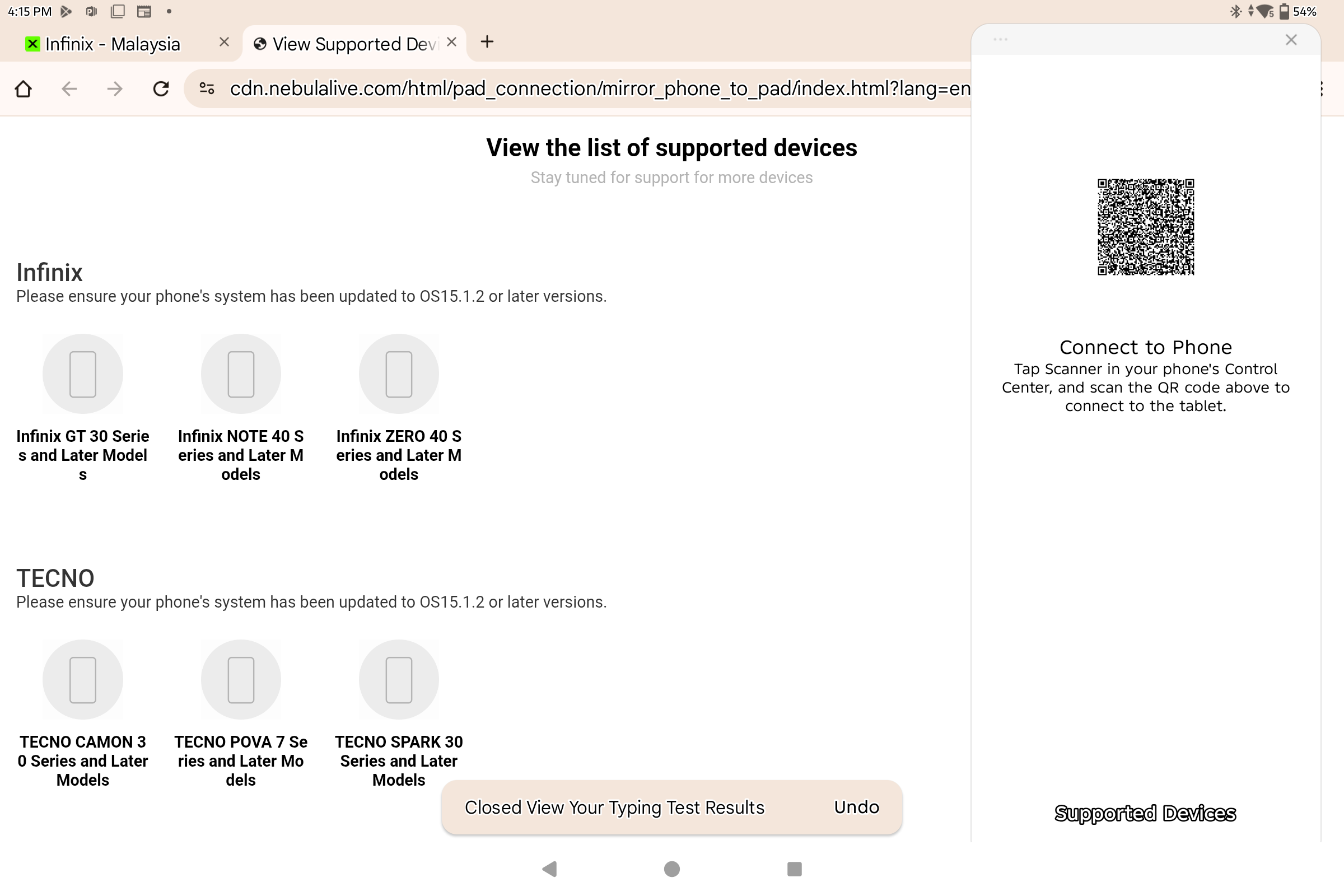
Infinix XPAD Edge Review – The tablet is able to mirror selected Infinix and Tecno phones into the display to further add its versatility
In terms of display quality, the 13.2-inch IPS LCD on the tablet is adequate for paperwork and content consumption with sufficient brightness, colour rendition and clarity for indoors use.

The TÜV Rheinland for low blue light and flicker free certification also helped to ensure that it remained comfortable for extended use.
The quad speakers on our Infinix XPAD Edge review sample proved to be pleasantly loud and were able to be cranked to maximum without distortion with a modest amount of sound staging for casual music listening and movie watching duties.
Unfortunately, the PCMark Battery life test kept crashing, the Infinix XPAD Edge was able to offer about 10 hours or so of practical usage covering web browsing, writing and YouTube which is more than sufficient for a day’s worth of work off its 8,000mAh battery. Charging it takes awhile though, requiring over two hours off its bundled 18W charger.
Should you buy the Infinix XPAD Edge?
The Infinix XPAD Edge is a budget productivity tablet that offers quite a bit of value for what you pay for. While it has some modest concessions in performance for demanding tasks on account of its midrange processor, it’s more than sufficient for handling general productivity related duties like web browsing, paperwork, spreadsheets and the like.

Add in its surprisingly well designed keyboard case, bundled stylus, charger and a smattering of AI features and you have a capable, affordable choice for students and those on a tight budget.
Infinix XPAD Edge review sample courtesy of Infinix Malaysia. For more details please visit https://my.infinixmobility.com/
Infinix XPAD Edge
-
Display
-
Performance
-
Cameras
-
Battery Life
-
AI Capabilities
-
Value
Infinix XPAD Edge
The Infinix XPAD Edge is a budget productivity tablet that offers quite a bit of value for what you pay for. While it has some modest concessions in performance for demanding tasks on account of its midrange processor, it’s more than sufficient for handling general productivity related duties like web browsing, paperwork, spreadsheets and the like.
Pros
Comes with keyboard case and stylus
Slim and light design,
Keyboard comes with touchpad
Expandable storage via microSD card slot
4G LTE
Can work as a secondary PC display in future OTA update
Cons
Modest Snapdragon 685 processor
No 5G connectivity
Slow charging,
No official IP dust or water resistance rating