

Logitech Signature Comfort Plus M850 L review – Cushy mouse with cushioned support tested
Logitech constantly ventures into a variety of different designs for their line-up of peripherals like their hybrid G512 X keyboard but their latest productivity-oriented mouse is certainly one of the most unusual yet as it features integrated cushioning for better comfort.
After snagging a test sample and testing it at work, here’s our Logitech Signature Comfort Plus M850 L review where we share if it’s worth your money.
Logitech Signature Comfort Plus M850 L review – Build and Design
Table of Contents
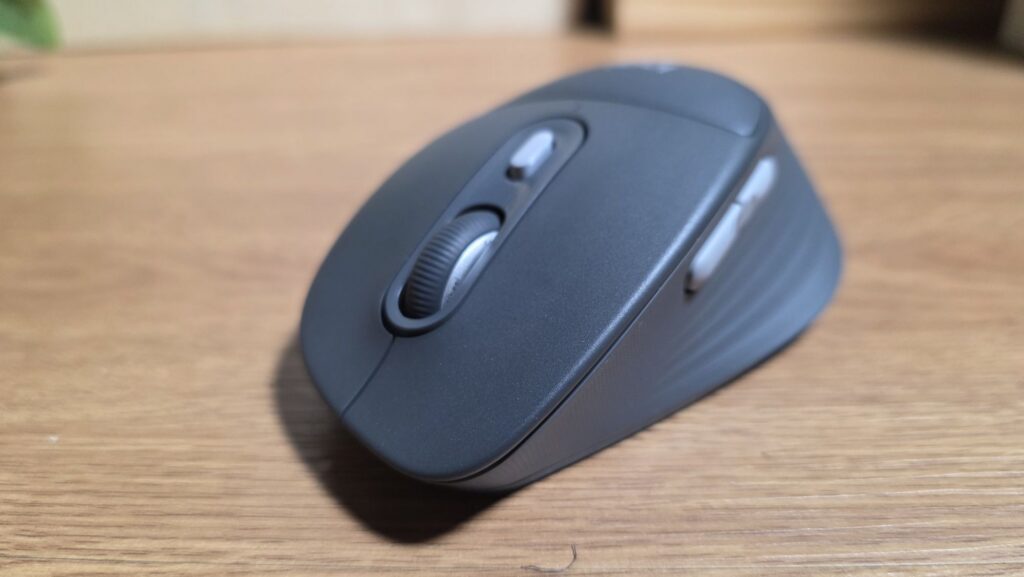
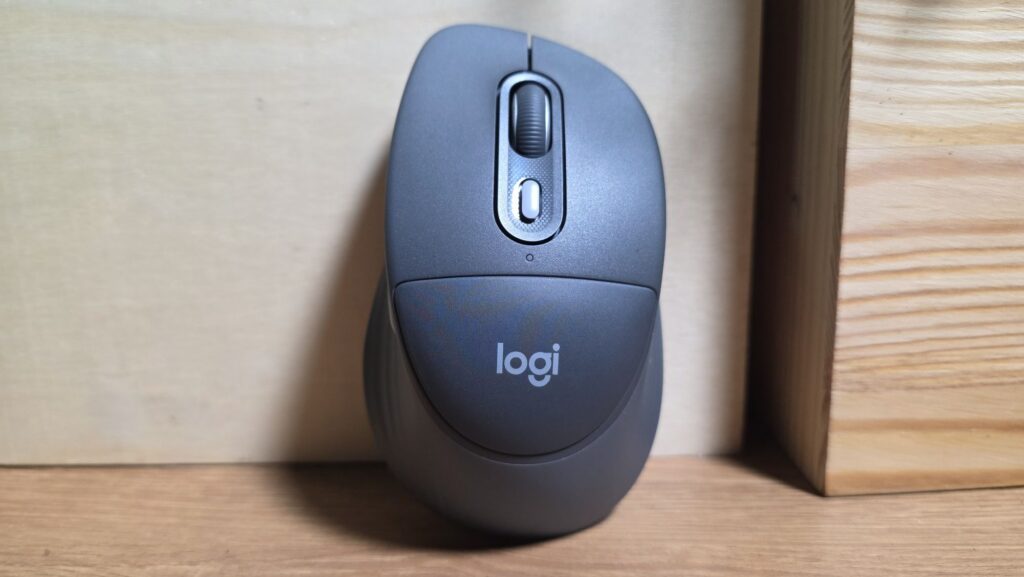
If you find most mouse designs uncomfortable, the work-oriented Logitech Signature Comfort Plus M850 L may be worth a look. Emphasising comfort, this Bluetooth wireless mouse has an expanded design with ridged, rubberised sides that extends out to a slight lip around the bottom edges and rises up into an arch to meet a cushioned palm rest.
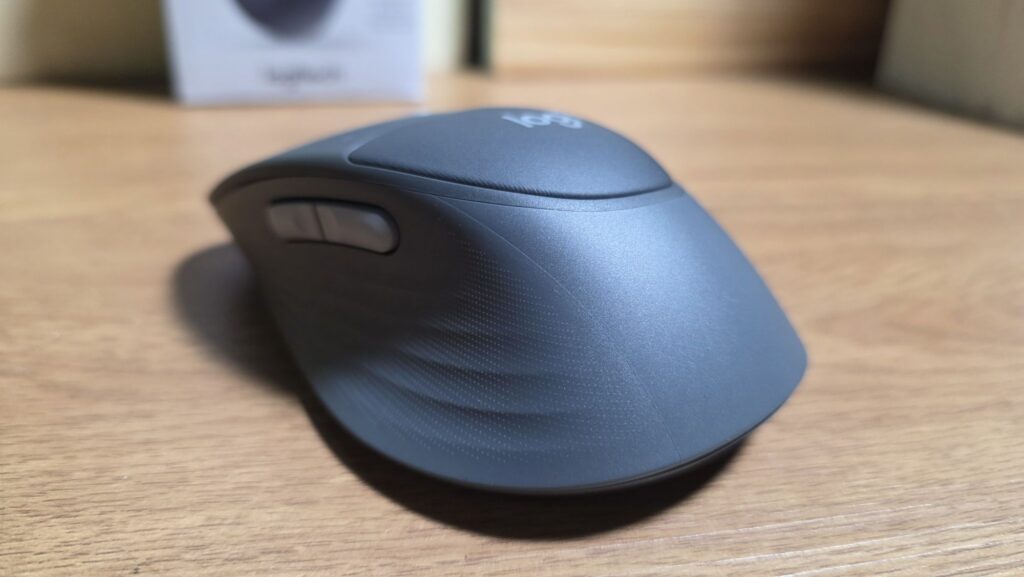
The sides feature two buttons with the top hosting the customary left and right click mouse buttons, a scroll wheel and a DPI switch that also doubles as an Actions Ring shortcut, all of which are silenced to minimise irksome clicky noises.
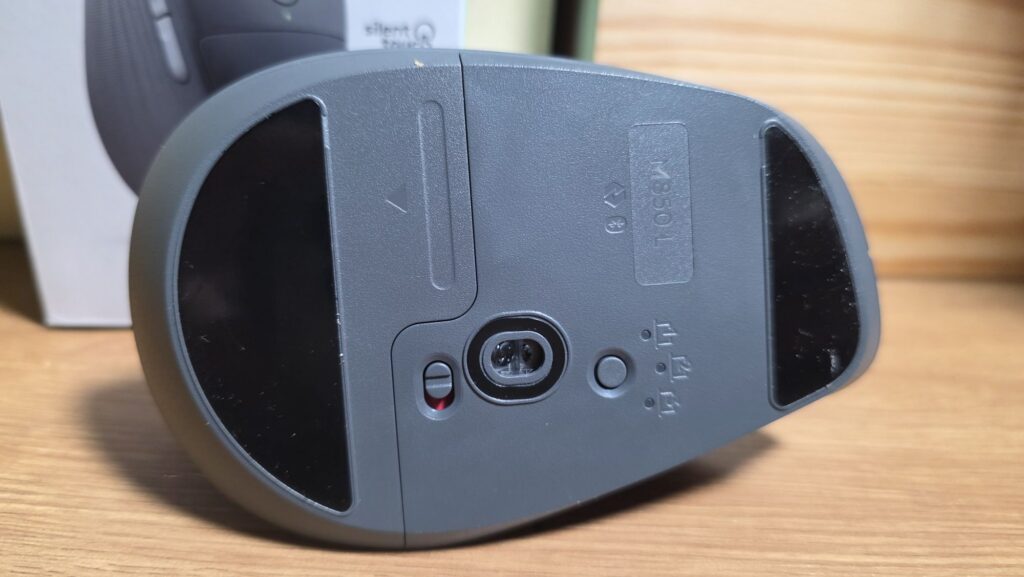
The underside hosts a series of teflon feet and a slide-out panel for a single AA battery to power the mouse. On paper, a single AA battery is rated for up to two years of usage which is substantial.
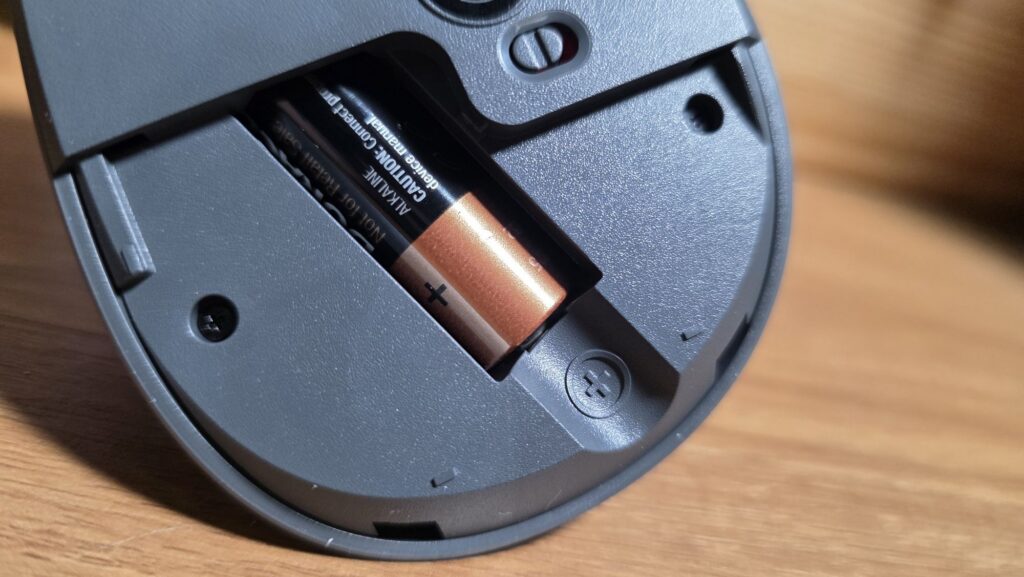
The base of our Logitech Signature Comfort Plus M850 L review also hosts a single button that lets you swap pairing between three different devices as needed along with a toggle to turn the mouse on or off.
In terms of connectivity, the Logitech Signature Comfort Plus M850 L supports wireless connectivity via Bluetooth or via Logitech’s own Logi Bolt 2.4GHz USB receiver. You’ll have to acquire one separately or already own one from an existing Logitech product. Beyond the mouse itself and a single AA battery, the package contains little else.
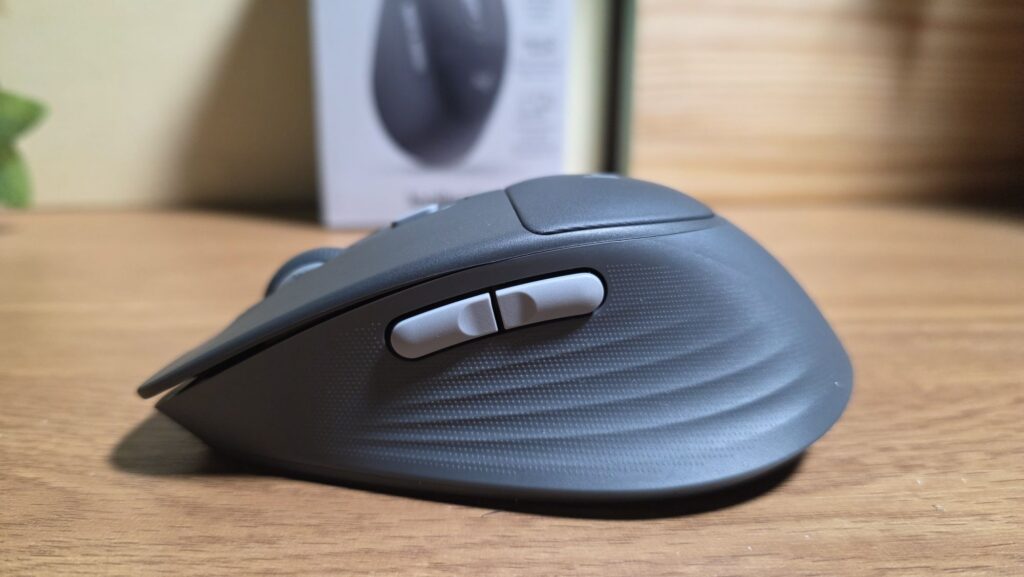
Build quality is solid and our Logitech Signature Comfort Plus M850 L review sample looks and feels solid without any creaking. The matte finish resists fingerprints and smudges well though the pronounced arch of the mouse makes it somewhat bulky which is a factor if you’re going to be taking it around as part of a mobile work setup.
Logitech Signature Comfort Plus M850 L Review – Performance
Getting our Logitech Signature Comfort Plus M850 L review unit up and running is a straightforward task and it paired up with our test laptop in seconds. You can also pair up with two other devices like tablets or phones via Bluetooth. Once paired, you can swap between them at will with the device swap button located on the underside of the mouse.
While the mouse works out of the box, their Logi Options+ app that lets you customise shortcuts on a per app or universal system-wide basis.
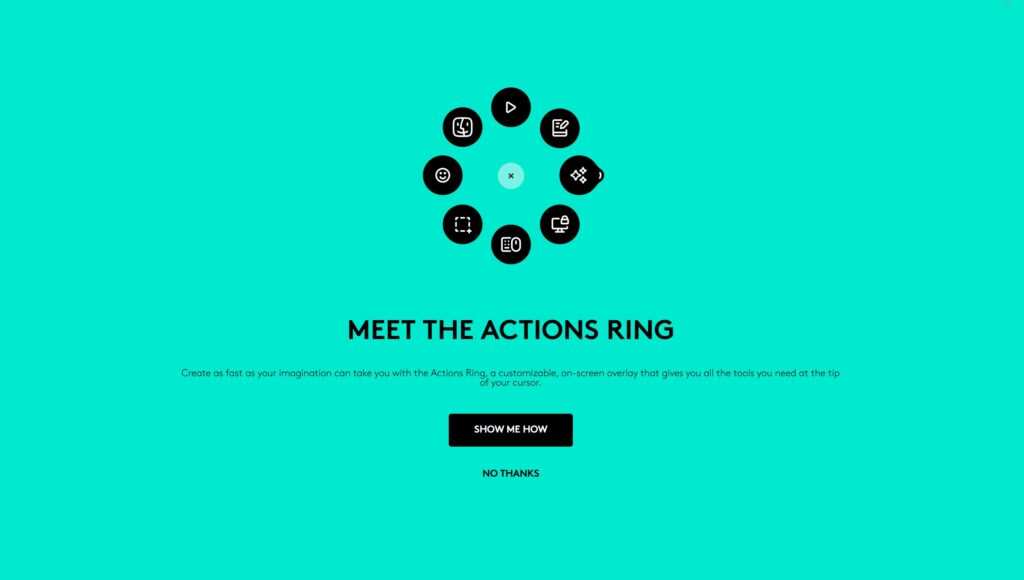
The Logi Options+ also enables access the Actions Ring which then lets you gain access to these app specific or global shortcuts that you can activate as desired. This means that you can immediately toggle things like the volume or screen capture on a quick-access radial menu.
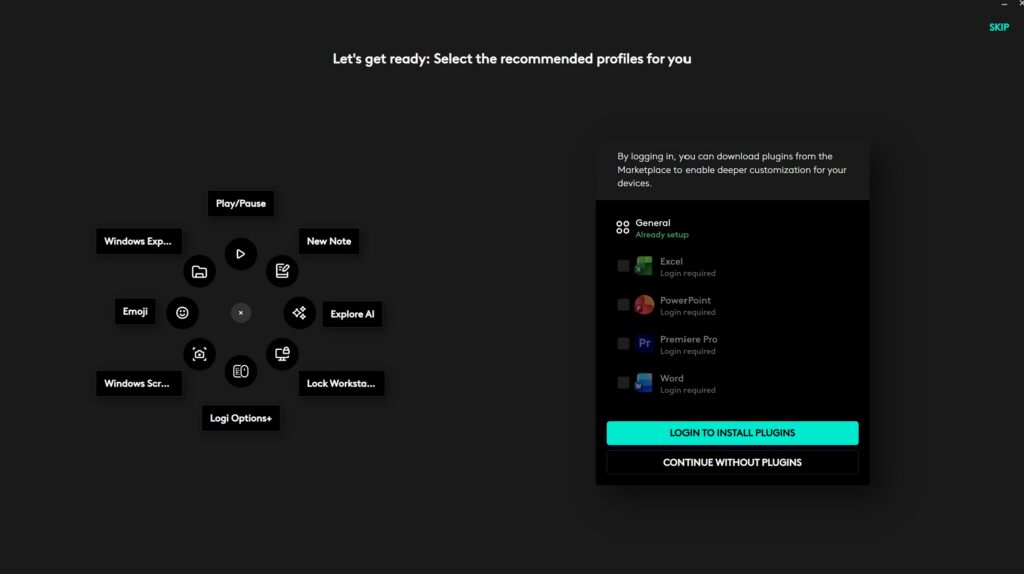
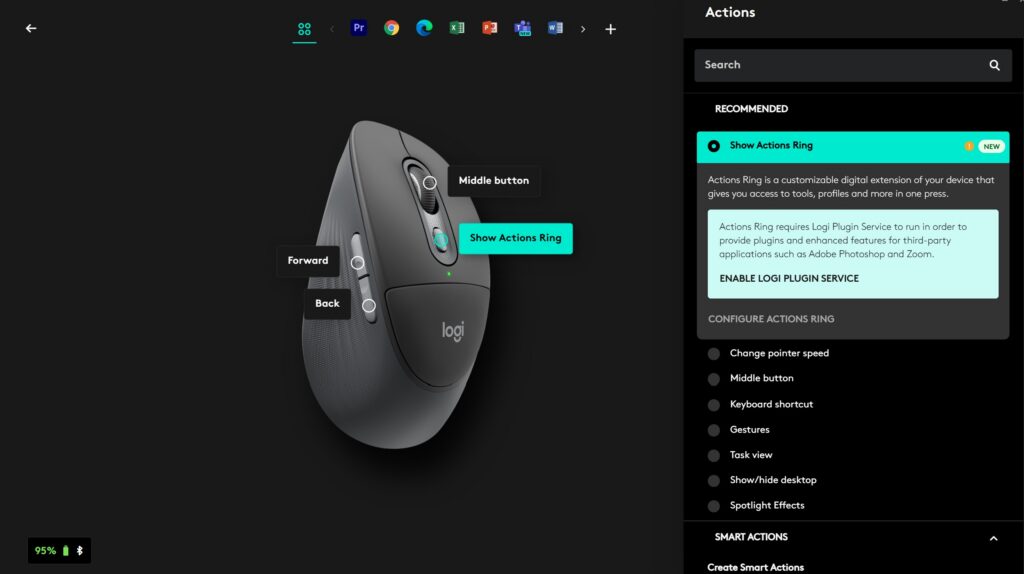
The DPI switch is typically the default button to toggle Actions Ring but you can assign the Actions Ring to other buttons as well and the controls are quite customisable to fit almost any workflow with Actions Ring accommodating app-specific controls for many of the most common apps including CapCut, the Microsoft suite and the like.
When tested in the office, the mouse with its ergonomic, high-backed design and its textured sides offered a measure of comfort for extended use though this may vary depending on your grip.
However, the top cushioned portion doesn’t offer much benefit as it does not offer much support for the palm itself. The silent buttons were a pleasant bonus as well, especially in quiet office environments to ensure that they don’t irritate colleagues.
Battery life was otherwise excellent and over four days of testing, the AA battery barely had a drop in battery life.
Should you buy the Logitech Signature Comfort Plus M850 L?
The Logitech Signature Comfort Plus M850 L excels as a mouse for office use, offering a measure of comfort thanks to its ergonomic design, long battery life and relatively silent clicks. It’s a bit on the pricey side but if you need a comfortable, quiet mouse, this is worth a look.
Specifications
Price RM299
DPI 400 – 4,000 DPI (50 DPI increments)
Buttons 6 (left/right-click, back/forward, middle click, DPI)
Battery 1 x AA (24 months, quoted)
Size/Weight 121.3 x 74.3 x 44.2 x 102.9g / 102.9g
Logitech Signature Comfort Plus M850 L review sample courtesy of Logitech Malaysia. For more details please visit https://www.logitech.com/en-my/shop/p/signature-comfort-plus-m850l.910-007733?sp=1&searchclick=Logitech
Logitech Signature Comfort Plus M850 L
-
Design
-
Performance
-
Value
-
Features
Logitech Signature Comfort Plus M850 L
The Logitech Signature Comfort Plus M850 L mouse offers good battery life, is relatively silent and has modest ergonomic benefits thanks to its ridged rubber sides. While it is functionally sound, it’s best to try it before you buy it to ensure you like the feel and fit before you commit.
Pros
Relatively silent clicks and scrolling
Sculpted rubber side ridges offer a measure of comfort for extended usage
Connects and seamlessly swaps with up to three devices
Useful Actions Ring
Cons
Cushioning offers marginal benefits
Logi Bolt dongle sold separately